> For the complete documentation index, see [llms.txt](https://docs.airops.com/llms.txt). Markdown versions of documentation pages are available by appending `.md` to page URLs; this page is available as [Markdown](https://docs.airops.com/context/brand-kit.md).
# Brand Kits
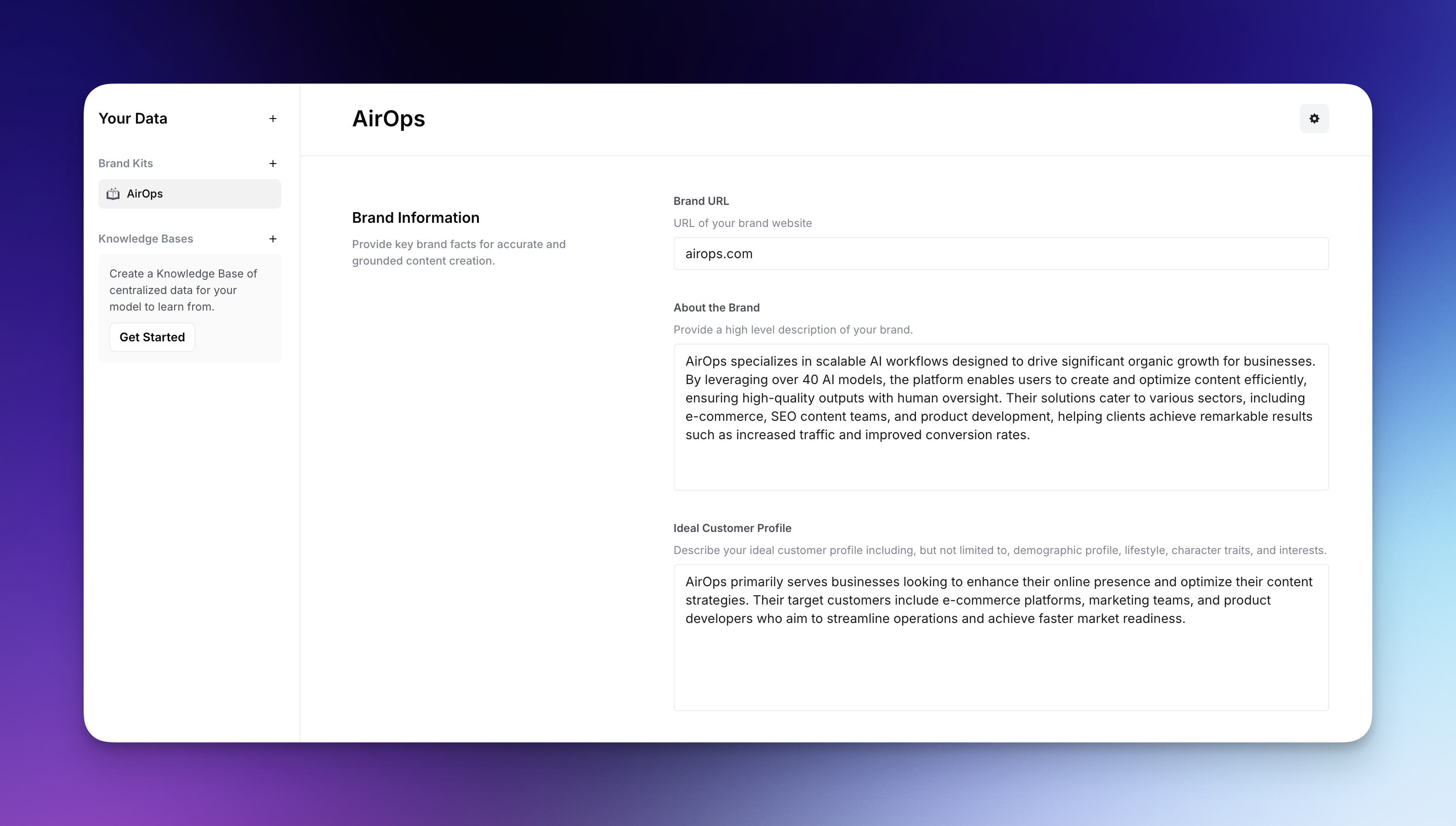
Feed accurate brand data to AI and customize brand voice with centralized context: foundations, product lines, content types, audiences, and regions, for brand consistency and content governance.
## What is a Brand Kit?
**Brand Kits are portable personas that allow you to centrally store, manage, and update key contextual information for your LLM-powered workflows.** They are how you feed accurate brand data to AI and customize brand voice: a structured way to supply essential context about your brand, products, customers, regions, and audiences, so any LLM within AirOps has the context to generate content that aligns with your voice and objectives.
By using a Brand Kit, you can define and improve the context base that trains the LLM on unique characteristics of your business, ensuring brand consistency: LLM outputs stay consistent, accurate, and on-brand across every workflow. Brand Kits are centrally managed, meaning that as new insights are added (such as updated product details, refined brand messaging, or new regional guidelines) you can update the kit in one place, and all linked workflows will inherit the changes automatically.
## Brand Kit Structure
The Brand Kit is organized into five main dimensions:
### Overview
The Overview page provides a visual summary of your entire Brand Kit, including:
* Your brand logo and name
* Brand domain
* About your Brand summary
* Brand Voice & Tone summary
* Quick access cards for all Product Lines and Content Types
### [Foundations](/context/brand-kit/foundations.md)
Foundations contain the global settings that apply across your entire brand, including brand name, domain, voice & tone, author persona, and global writing rules.
### [Product Lines](/context/brand-kit/product-lines.md)
Product Lines allow you to define different products or services your brand offers. This is particularly useful for enterprise brands with complex product portfolios.
### [Content Types](/context/brand-kit/content-types.md)
Content Types define the different formats of content you create, including templates, samples, CTAs, and format-specific writing rules.
### [Audiences](/context/brand-kit/audiences.md)
Audiences allow you to define the different target segments you tailor content for (e.g., Enterprise, SMB, Partners, Top-of-Funnel).
### [Regions](/context/brand-kit/regions.md)
Regions allow you to adapt your brand messaging for different markets and languages.
## Creating a Brand Kit
To create a Brand Kit:
1. Navigate to **Brand Kits** in your workspace
2. Click **Create Brand Kit**
3. Fill in each section:
* Start with **Foundations** to set your global brand identity
* Add **Product Lines** for each product or service
* Create **Content Types** for each format you produce
* Define **Audiences** for your target segments
* Set up **Regions** for different markets
## Versioning & History
Brand Kit versioning gives you content governance and brand compliance: every change, whether made by a team member or an AI agent, creates a new version with full attribution so you always know what changed and who changed it.
**How it works:**
When you edit a Brand Kit, your changes are saved as a draft. Drafts are not live. You can compare any two versions to see exactly what was added, removed, or modified, whether that's your current draft against the published version or any two historical versions.
When you're ready, publish the draft to make it live. If you navigate away with unpublished draft changes, you'll be prompted to publish now or leave the page. Your draft is preserved and you can come back to publish it later.
**Restoring a previous version:**
You can browse the full version history and restore any previous version at any time.
**For MCP users:**
If you manage your Brand Kit through Claude or another MCP client, there is a dedicated publish tool so you can publish directly without switching back to the AirOps UI.
---
# Agent Instructions
This documentation is published with GitBook. GitBook is the documentation platform designed so that both humans and AI agents can read, navigate, and reason over technical content effectively. Learn more at gitbook.com.
## Querying This Documentation
If you need additional information that is not directly available in this page, you can query the documentation by asking a question.
Perform an HTTP GET request on the following URL with the `ask` and `goal` query parameters:
```
GET https://docs.airops.com/context/brand-kit.md?ask=&goal=
```
`ask` is the immediate question: it should be specific, self-contained, and written in natural language.
`goal` is what the user is ultimately trying to achieve, the reason they need the answer. Sharing it helps GitBook give you a better, more relevant answer. A goal is most helpful when it describes the outcome the user wants rather than restating the question. For example, with `ask=how do I create an API token`, a goal like `automate deployments from our CI pipeline` lets GitBook tailor the answer to that use case.
The response will contain a direct answer to the question and relevant excerpts and sources from the documentation.
Use this mechanism when the answer is not explicitly present in the current page, you need clarification or additional context, or you want to retrieve related documentation sections.