> For the complete documentation index, see [llms.txt](https://docs.airops.com/llms.txt). Markdown versions of documentation pages are available by appending `.md` to page URLs; this page is available as [Markdown](https://docs.airops.com/docs/pt/contexto/memory-stores/add-data/import-from-sql-database.md).
# Importar de Base de Dados SQL
## Importação a partir de uma base de dados SQL
A AirOps permite-lhe ligar a sua Base de Conhecimento diretamente a bases de dados SQL, permitindo-lhe importar dados estruturados e torná-los pesquisáveis semanticamente. Esta poderosa integração permite-lhe aproveitar as informações existentes na sua base de dados sem exportações manuais.
Para importar dados de uma base de dados SQL:
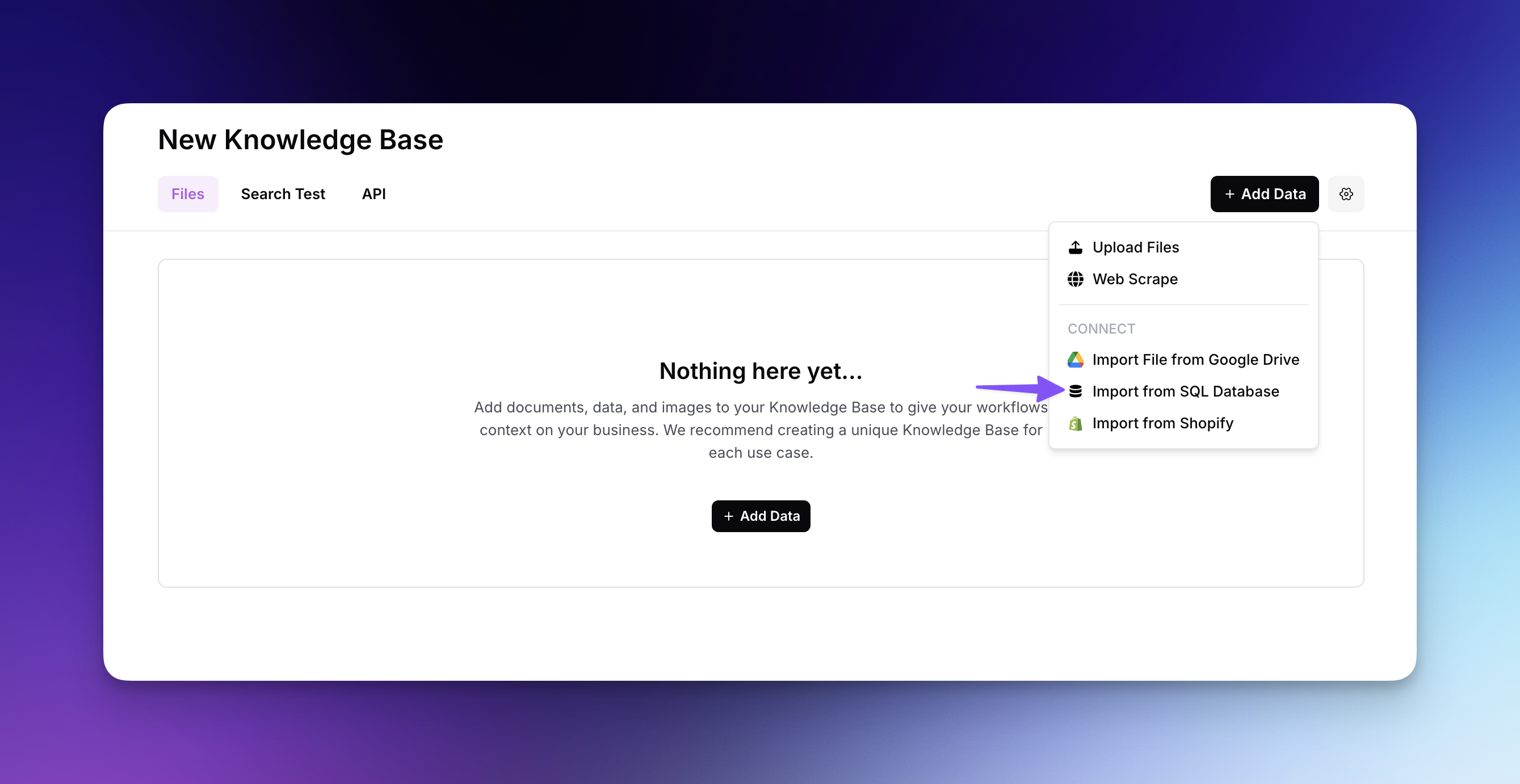
* Clique em "Adicionar Dados" e selecione "Importar de Base de Dados SQL" no menu suspenso
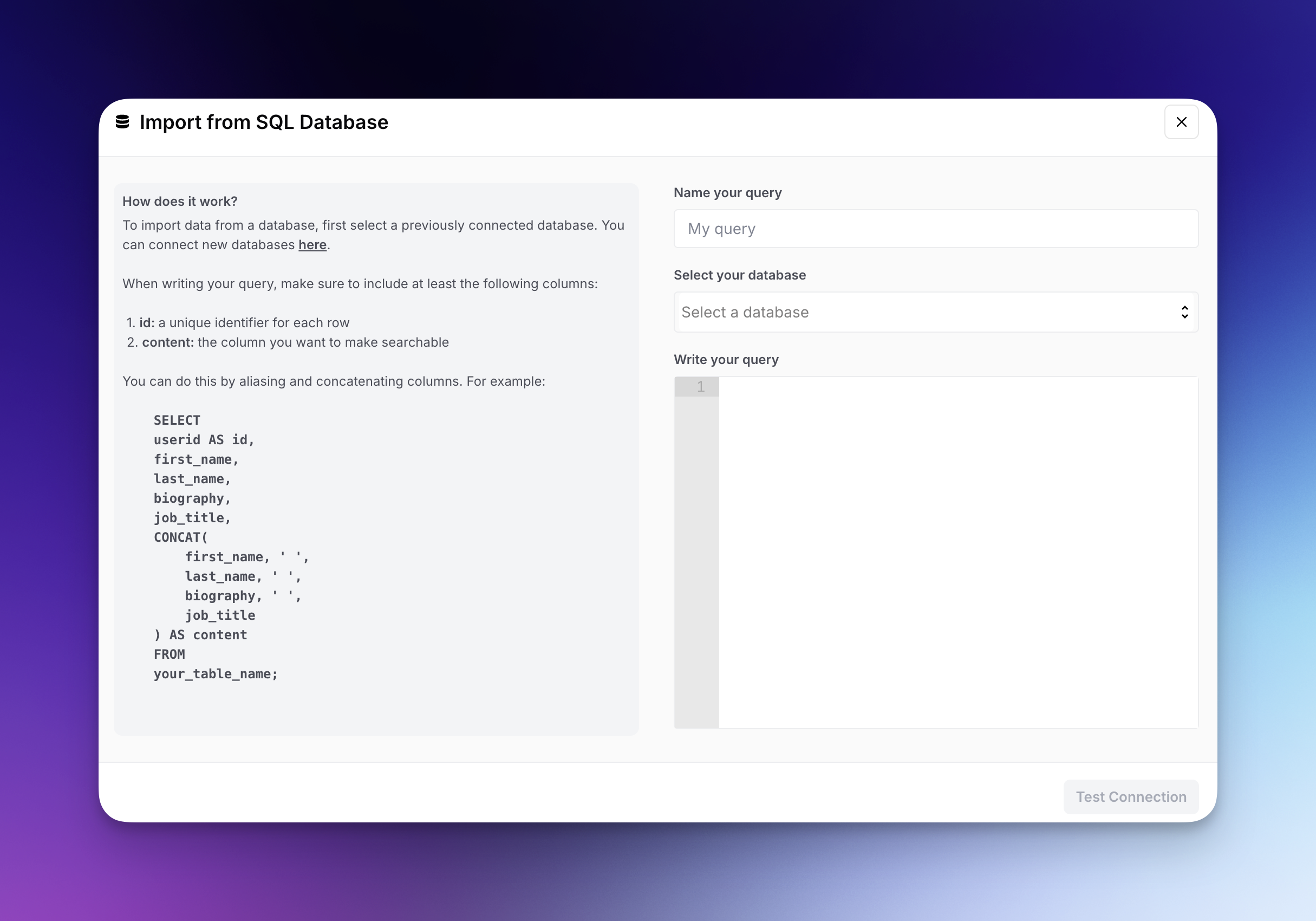
* Selecione uma base de dados ligada anteriormente ou ligue uma nova através das definições
* Dê um nome à sua consulta para referência futura
* Escreva a sua consulta SQL, garantindo que inclui estas colunas obrigatórias:
* `id`: Um identificador único para cada linha
* `conteúdo`: A coluna ou colunas concatenadas que pretende tornar pesquisáveis
* Clique em "Testar ligação" para verificar a sua consulta antes de importar
* Depois de verificado, importe os seus dados para os adicionar à sua Base de Conhecimento
Ao escrever a sua consulta, pode usar funções SQL como `CONCAT` para combinar várias colunas num único campo de conteúdo pesquisável, criando um contexto mais rico para a sua Base de Conhecimento.
---
# Agent Instructions
This documentation is published with GitBook. GitBook is the documentation platform designed so that both humans and AI agents can read, navigate, and reason over technical content effectively. Learn more at gitbook.com.
## Querying This Documentation
If you need additional information that is not directly available in this page, you can query the documentation by asking a question.
Perform an HTTP GET request on the following URL with the `ask` and `goal` query parameters:
```
GET https://docs.airops.com/docs/pt/contexto/memory-stores/add-data/import-from-sql-database.md?ask=&goal=
```
`ask` is the immediate question: it should be specific, self-contained, and written in natural language.
`goal` is what the user is ultimately trying to achieve, the reason they need the answer. Sharing it helps GitBook give you a better, more relevant answer. A goal is most helpful when it describes the outcome the user wants rather than restating the question. For example, with `ask=how do I create an API token`, a goal like `automate deployments from our CI pipeline` lets GitBook tailor the answer to that use case.
The response will contain a direct answer to the question and relevant excerpts and sources from the documentation.
Use this mechanism when the answer is not explicitly present in the current page, you need clarification or additional context, or you want to retrieve related documentation sections.