> For the complete documentation index, see [llms.txt](https://docs.airops.com/llms.txt). Markdown versions of documentation pages are available by appending `.md` to page URLs; this page is available as [Markdown](https://docs.airops.com/docs/pt/acoes/workflow-concepts/chat-with-copilot/edit-workflows-with-copilot.md).
# Edite Workflows com o Copilot
O Copilot pode ajudar-te a editar e refinar os teus workflows existentes. Quando fazes um pedido, analisa a estrutura atual do teu workflow e fornece sugestões de modificações, quer seja adicionar novos passos, melhorar os existentes ou corrigir erros.
## Aplicar alterações com o Copilot
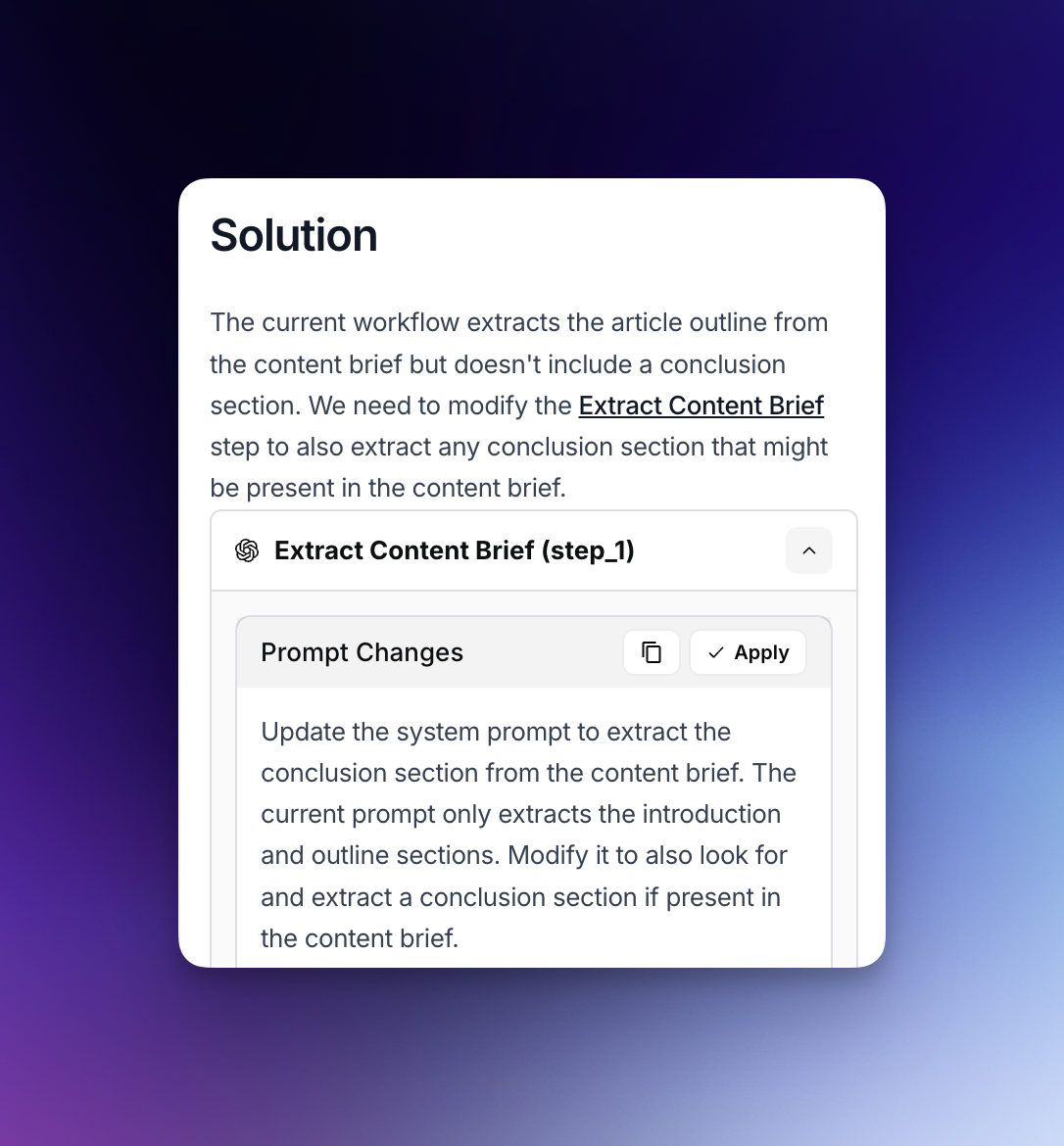
* Quando precisares de modificar os passos do teu workflow existentes, o Copilot pode recomendar alterações às configurações dos passos, prompts ou parâmetros.
* Basta clicares no botão "Aplicar alterações" quando o Copilot sugerir modificações a um passo existente.
* Esta abordagem simplificada permite-te implementar rapidamente melhorias nos componentes do teu workflow sem teres de os reconstruir do zero.
## Adicionar passos com o Copilot
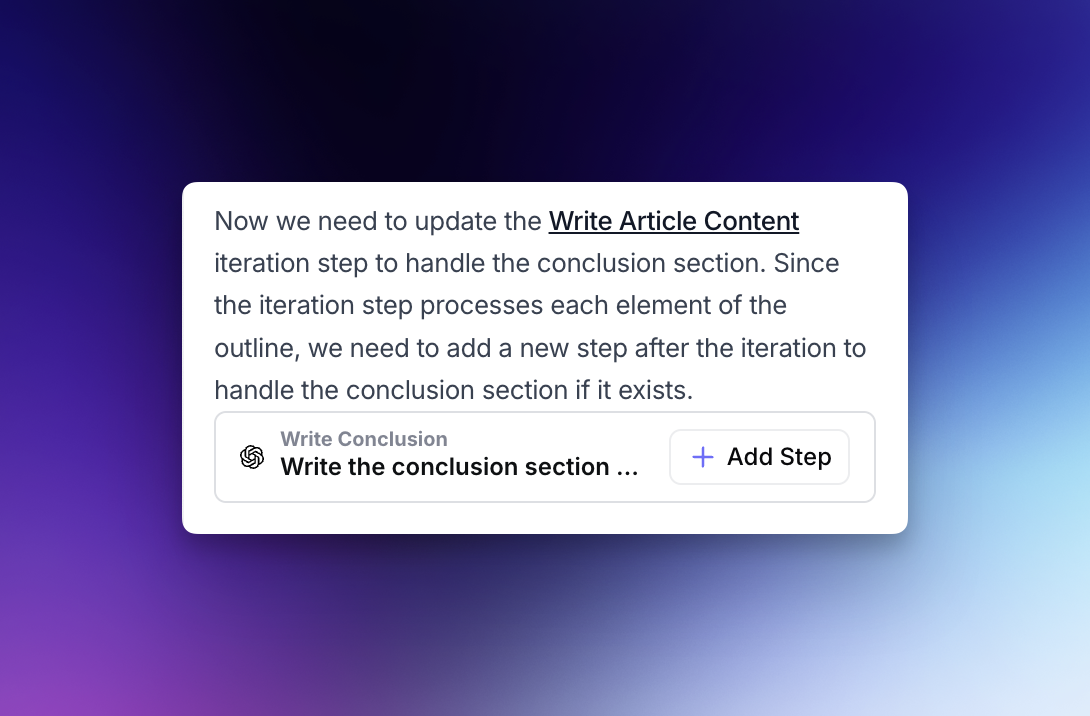
* Para pedidos que exijam novos passos, o Copilot pode recomendar a adição de passos totalmente novos ao teu workflow.
* Ao clicares no botão "Adicionar passo" quando o Copilot fizer estas sugestões, podes incorporar sem esforço novas capacidades no teu workflow.
* Os novos passos integram-se perfeitamente no teu workflow existente, garantindo que as variáveis e os passos existentes são referenciados corretamente.
## Modo automático do Copilot
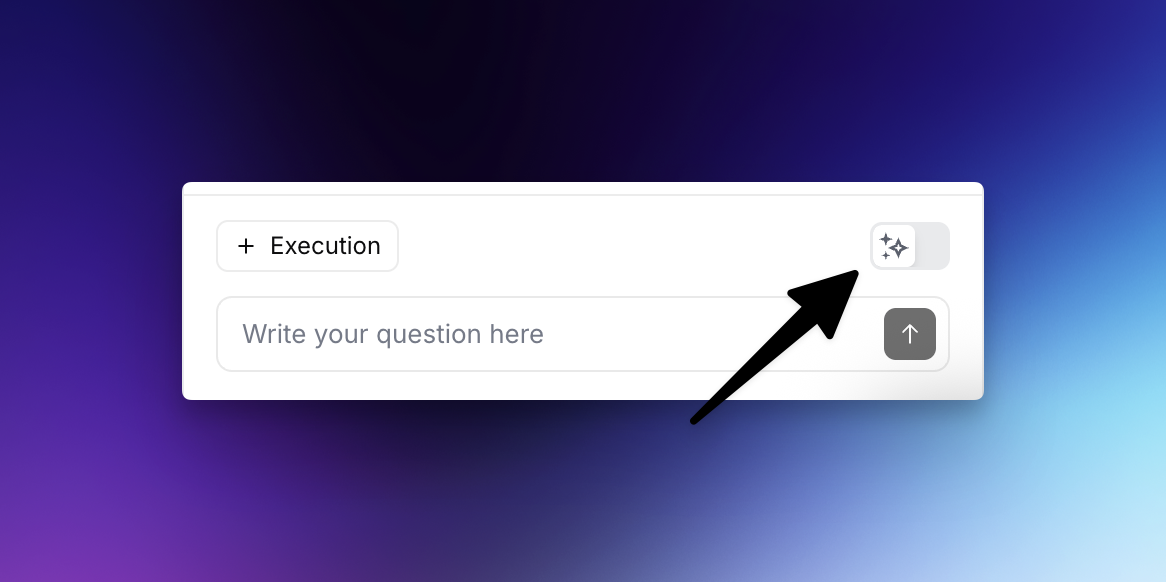
* O Modo Automático permite ao Copilot aplicar alterações automaticamente, testar os resultados e fazer melhorias adicionais sem que tenhas de aceitar manualmente cada sugestão.
* O Copilot analisa o resultado de cada passo e continua a refinar até o teu pedido original estar totalmente satisfeito.
* Atualmente, o Modo Automático funciona com passos LLM e de Código, estando o suporte para tipos de passos adicionais a expandir-se em breve.
**Como ativar o Modo Automático:** Clica no ícone de brilho junto ao campo de entrada quando pedires ao Copilot para fazer melhorias no workflow para ativar o Modo Automático.
---
# Agent Instructions
This documentation is published with GitBook. GitBook is the documentation platform designed so that both humans and AI agents can read, navigate, and reason over technical content effectively. Learn more at gitbook.com.
## Querying This Documentation
If you need additional information that is not directly available in this page, you can query the documentation by asking a question.
Perform an HTTP GET request on the following URL with the `ask` and `goal` query parameters:
```
GET https://docs.airops.com/docs/pt/acoes/workflow-concepts/chat-with-copilot/edit-workflows-with-copilot.md?ask=&goal=
```
`ask` is the immediate question: it should be specific, self-contained, and written in natural language.
`goal` is what the user is ultimately trying to achieve, the reason they need the answer. Sharing it helps GitBook give you a better, more relevant answer. A goal is most helpful when it describes the outcome the user wants rather than restating the question. For example, with `ask=how do I create an API token`, a goal like `automate deployments from our CI pipeline` lets GitBook tailor the answer to that use case.
The response will contain a direct answer to the question and relevant excerpts and sources from the documentation.
Use this mechanism when the answer is not explicitly present in the current page, you need clarification or additional context, or you want to retrieve related documentation sections.