> For the complete documentation index, see [llms.txt](https://docs.airops.com/llms.txt). Markdown versions of documentation pages are available by appending `.md` to page URLs; this page is available as [Markdown](https://docs.airops.com/docs/pt/acoes/workflow-concepts/chat-with-copilot.md).
# Copilot
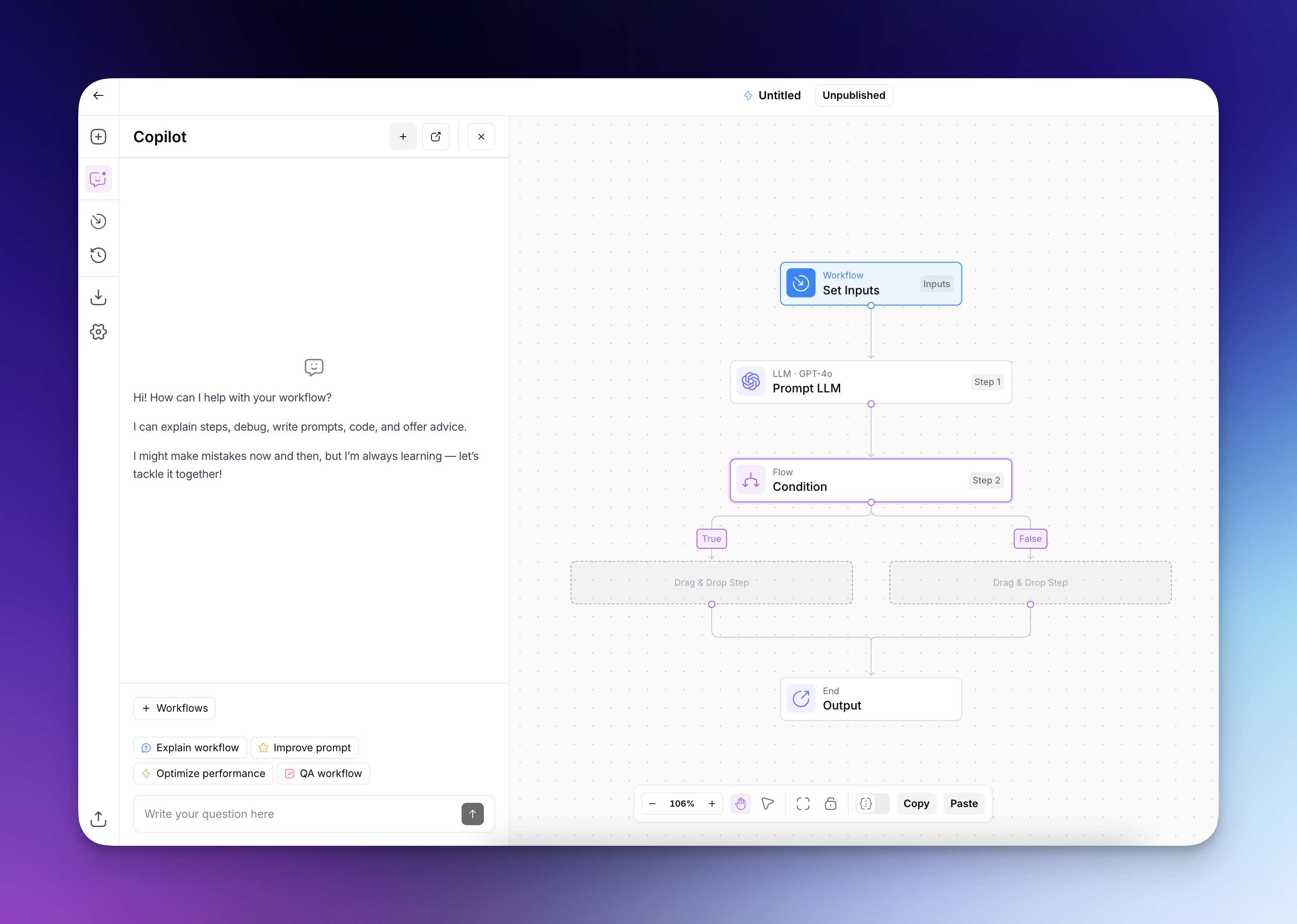
Crie e melhore Workflows com o Studio Copilot.
## Copilot da AirOps
O Copilot é um assistente com tecnologia de IA que ajuda a criar e melhorar os seus fluxos de trabalho. Quando pede ajuda com o seu fluxo de trabalho, o Copilot analisa os seus requisitos e fornece sugestões direcionadas que pode escolher implementar.
O Copilot usa **Claude Sonnet 5** por predefinição. Nos espaços de trabalho da Plataforma, o seletor de modelos também inclui **Claude Sonnet 5.5**, **Claude Opus 5.5**, **Claude Opus 5**, **GPT-6 Sol**, **GPT-6 Luna**, **GPT-5.6 Sol**, e **GPT-5.6 Terra**. Escolha um modelo antes de enviar um pedido quando quiser alterá-lo.
O Copilot oferece uma vasta gama de assistência para melhorar a sua experiência na criação de fluxos de trabalho. Estes são apenas alguns exemplos:
* **Assistência com explicações:** Peça ao Copilot para explicar como o seu fluxo de trabalho funciona, ajudando-o a compreender o fluxo de dados e as etapas da sua automatização.
* **Orientação de construção:** Obtenha instruções passo a passo sobre como construir fluxos de trabalho para casos de utilização específicos, com o Copilot a sugerir etapas e ligações adequadas.
* **Recomendações de otimização:** Receba sugestões para melhorar os seus fluxos de trabalho, incluindo adicionar tratamento de erros, aperfeiçoar prompts ou implementar uma lógica mais eficiente.
* **Suporte de depuração:** Quando o seu fluxo de trabalho encontrar erros, peça ao Copilot para analisar o problema e fornecer passos de resolução de problemas para o corrigir.
{% @arcade/embed url="" flowId="nRDXOumHXnlovCTtVc1j" %}
---
# Agent Instructions
This documentation is published with GitBook. GitBook is the documentation platform designed so that both humans and AI agents can read, navigate, and reason over technical content effectively. Learn more at gitbook.com.
## Querying This Documentation
If you need additional information that is not directly available in this page, you can query the documentation by asking a question.
Perform an HTTP GET request on the following URL with the `ask` and `goal` query parameters:
```
GET https://docs.airops.com/docs/pt/acoes/workflow-concepts/chat-with-copilot.md?ask=&goal=
```
`ask` is the immediate question: it should be specific, self-contained, and written in natural language.
`goal` is what the user is ultimately trying to achieve, the reason they need the answer. Sharing it helps GitBook give you a better, more relevant answer. A goal is most helpful when it describes the outcome the user wants rather than restating the question. For example, with `ask=how do I create an API token`, a goal like `automate deployments from our CI pipeline` lets GitBook tailor the answer to that use case.
The response will contain a direct answer to the question and relevant excerpts and sources from the documentation.
Use this mechanism when the answer is not explicitly present in the current page, you need clarification or additional context, or you want to retrieve related documentation sections.