> For the complete documentation index, see [llms.txt](https://docs.airops.com/llms.txt). Markdown versions of documentation pages are available by appending `.md` to page URLs; this page is available as [Markdown](https://docs.airops.com/docs/es/tu-espacio-de-trabajo/monitoring/analytics.md).
# Analíticas
AirOps ofrece seguimiento en forma de su página de Analíticas.
En la pestaña "Analytics", actualmente hay tres gráficos integrados relacionados con el uso de tu Workflow.
1. Serie temporal de ejecuciones
2. Serie temporal de latencia
3. Serie temporal de tareas
De forma predeterminada, cada serie temporal muestra el total de datos de todos tus Workflows. Puedes usar la pestaña desplegable "Workflow" para filtrar los datos a un workflow específico.
### Serie temporal de ejecuciones
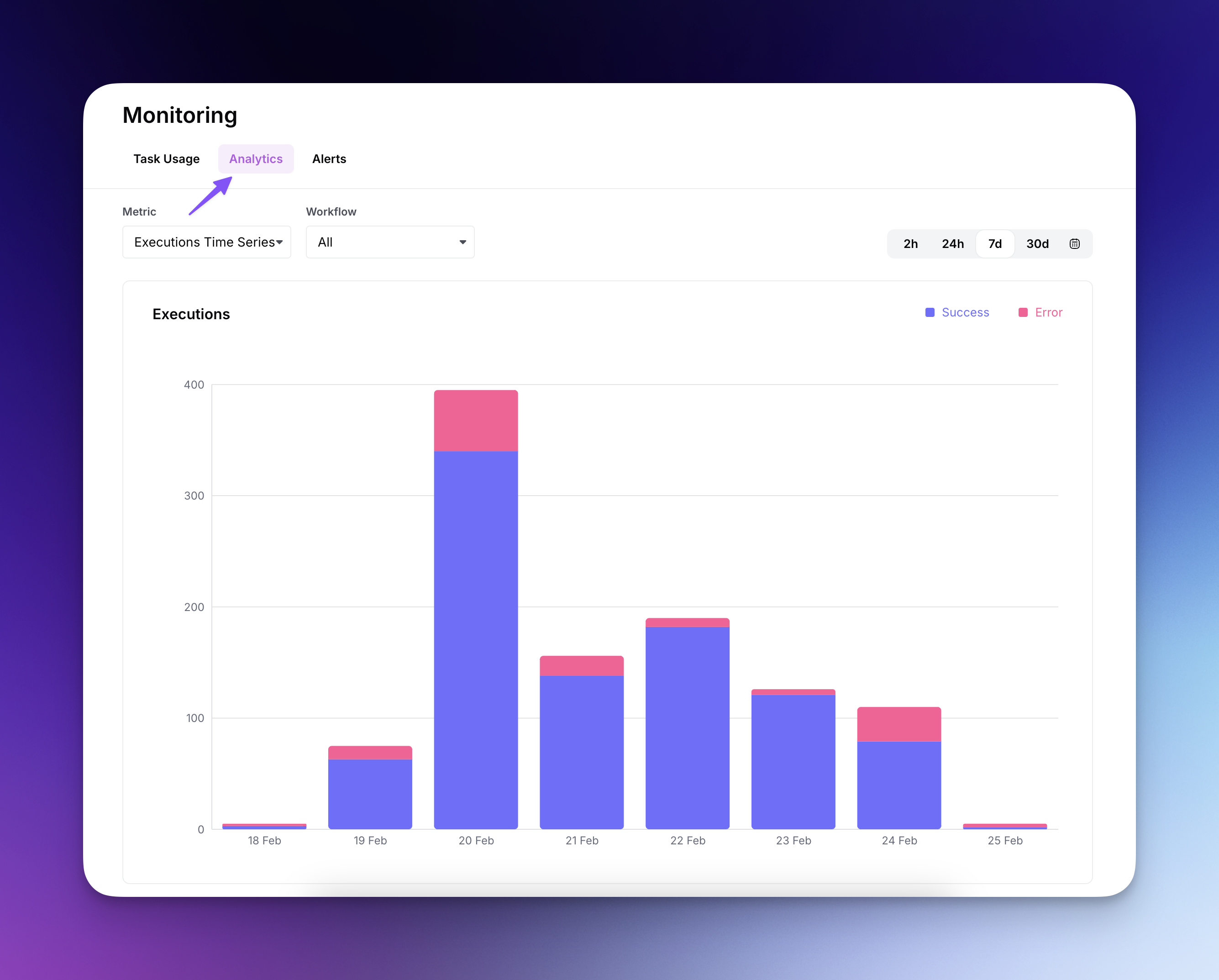
La Serie temporal de ejecuciones (selección predeterminada) ofrece una visualización detallada del rendimiento de ejecución de tu workflow a lo largo del tiempo.
* Haz seguimiento de las ejecuciones exitosas (azul) frente a las con error (rosa) para identificar posibles problemas y optimizar la fiabilidad.
* Usa los selectores de intervalo de tiempo (2h, 24h, 7d, 30d) para analizar patrones de ejecución en distintos periodos.
* Filtra por workflows específicos usando el menú desplegable para centrarte en el rendimiento de un workflow individual.
* El desglose diario ayuda a identificar picos y patrones de uso, lo que permite una mejor planificación de capacidad y resolución de problemas.
### Serie temporal de latencia
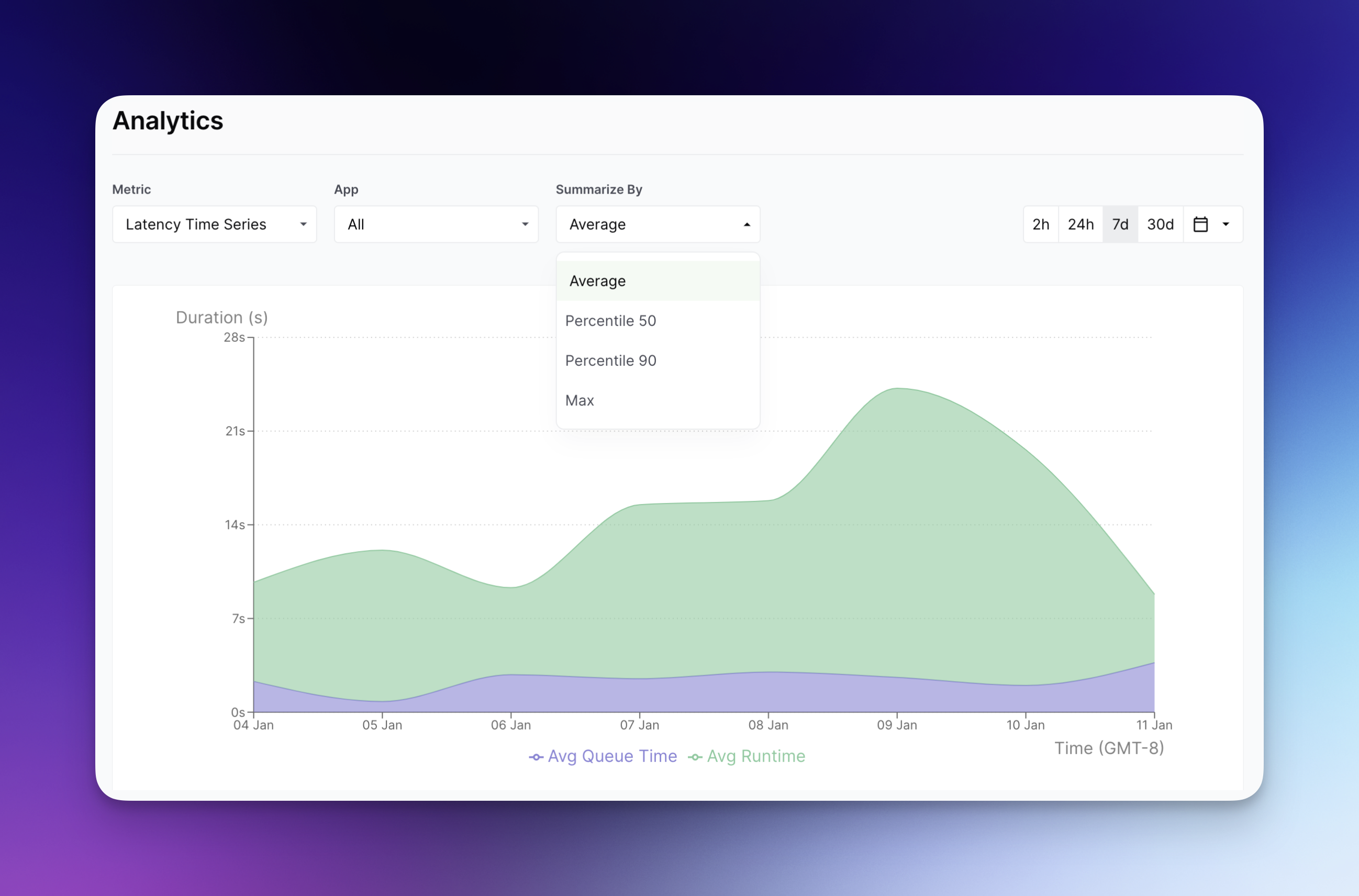
La Serie temporal de latencia muestra el tiempo que tu Workflow pasa en una cola frente al tiempo real que pasa ejecutándose. Puedes seleccionar cómo deseas ver estos datos agregados mediante la pestaña desplegable "Resumir por":
### Serie temporal de tareas
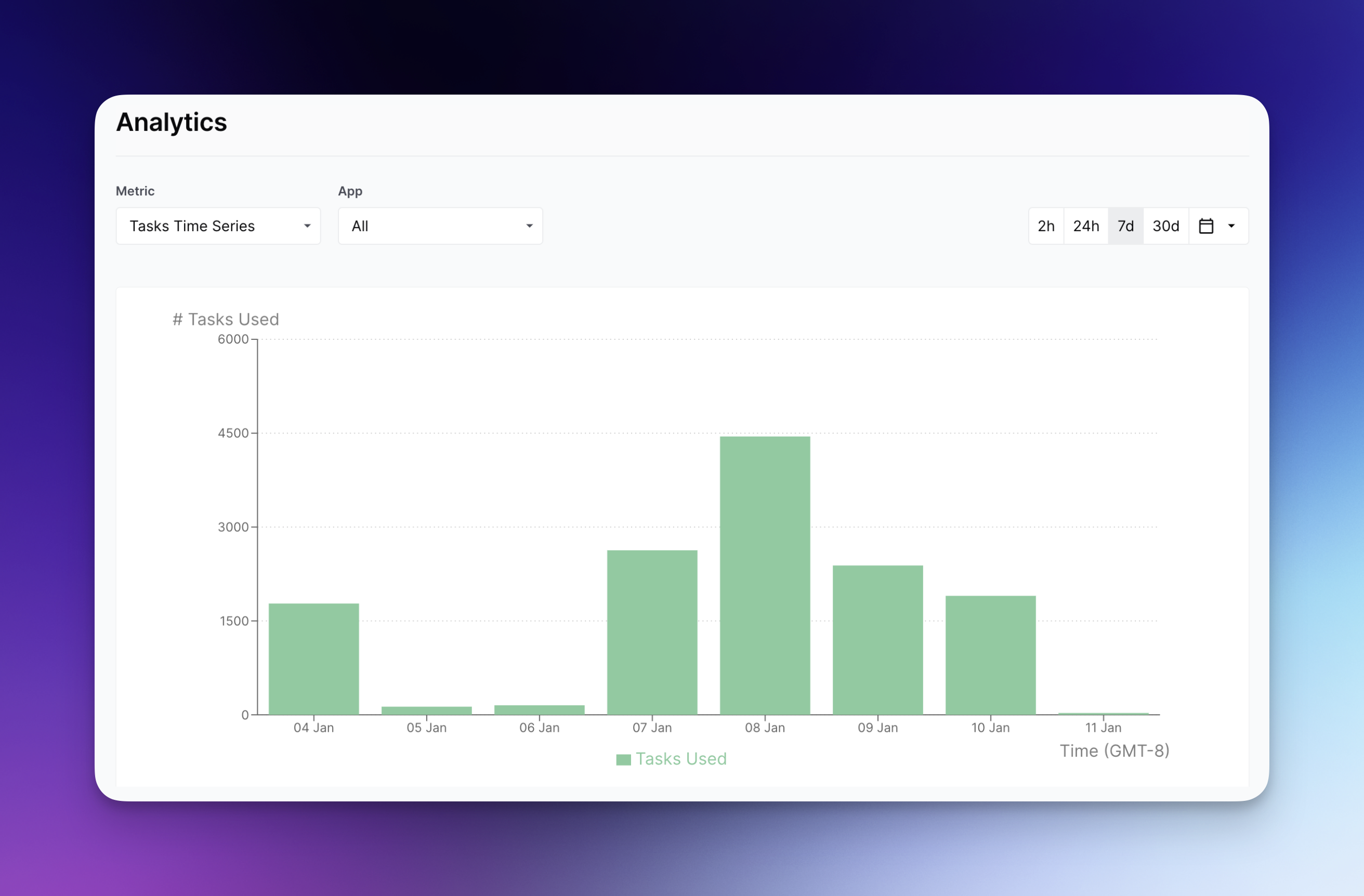
La Serie temporal de tareas muestra el número total de tareas ejecutadas dentro de tu(s) Workflow(s).
## Ajustar el marco temporal
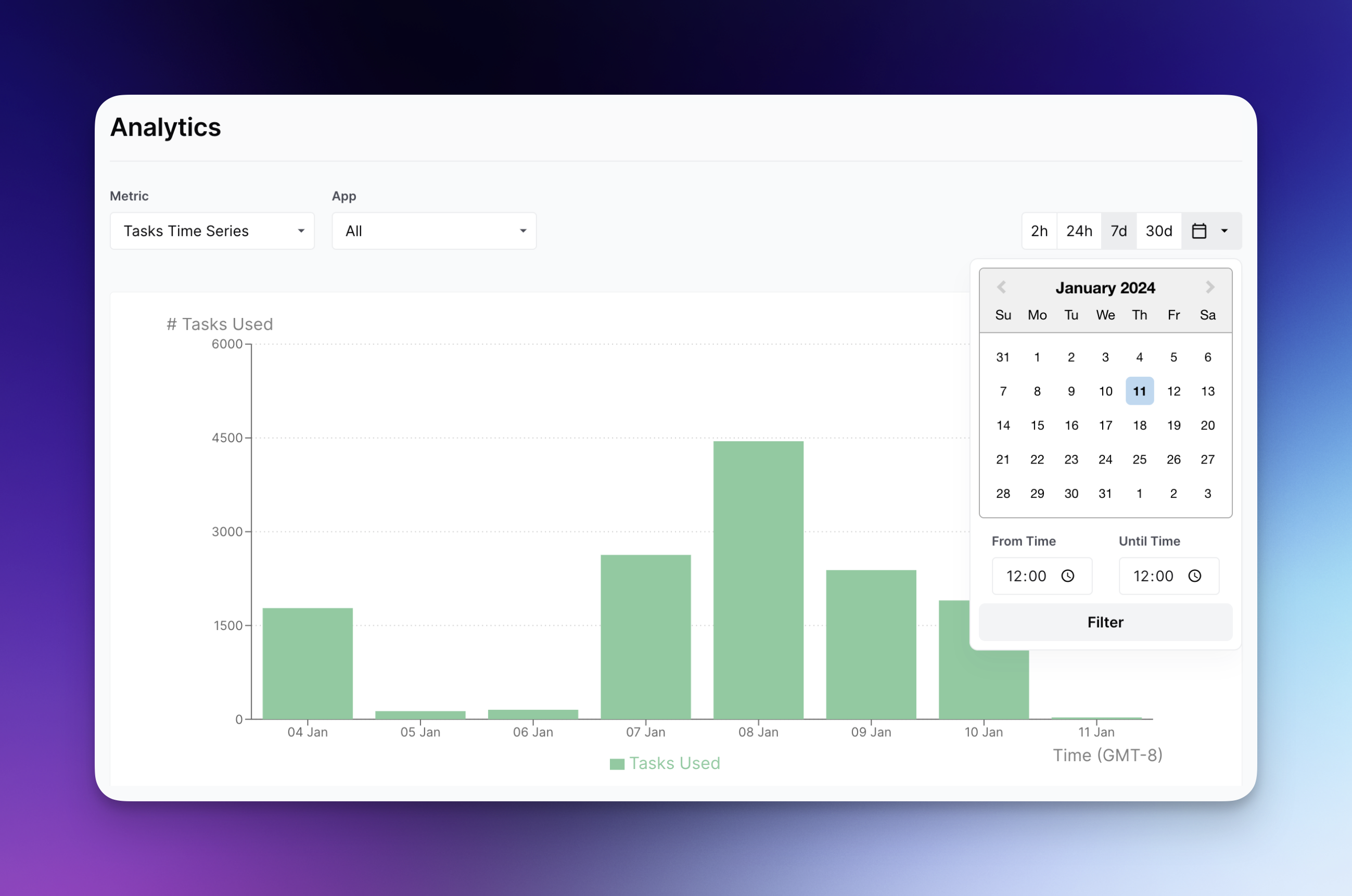
Para cada Serie temporal, tienes la opción de seleccionar la fecha y hora exactas de los gráficos mediante el calendario desplegable:
Además, si ya has publicado tu Workflow, puedes navegar a su pestaña "Analytics" mientras lo visualizas. Ten en cuenta que la ventana máxima actual de retrospectiva es de 3 meses.
---
# Agent Instructions
This documentation is published with GitBook. GitBook is the documentation platform designed so that both humans and AI agents can read, navigate, and reason over technical content effectively. Learn more at gitbook.com.
## Querying This Documentation
If you need additional information that is not directly available in this page, you can query the documentation by asking a question.
Perform an HTTP GET request on the following URL with the `ask` and `goal` query parameters:
```
GET https://docs.airops.com/docs/es/tu-espacio-de-trabajo/monitoring/analytics.md?ask=&goal=
```
`ask` is the immediate question: it should be specific, self-contained, and written in natural language.
`goal` is what the user is ultimately trying to achieve, the reason they need the answer. Sharing it helps GitBook give you a better, more relevant answer. A goal is most helpful when it describes the outcome the user wants rather than restating the question. For example, with `ask=how do I create an API token`, a goal like `automate deployments from our CI pipeline` lets GitBook tailor the answer to that use case.
The response will contain a direct answer to the question and relevant excerpts and sources from the documentation.
Use this mechanism when the answer is not explicitly present in the current page, you need clarification or additional context, or you want to retrieve related documentation sections.