> For the complete documentation index, see [llms.txt](https://docs.airops.com/llms.txt). Markdown versions of documentation pages are available by appending `.md` to page URLs; this page is available as [Markdown](https://docs.airops.com/docs/es/contexto/memory-stores/add-data/import-from-shopify.md).
# Importar desde Shopify
## Importando desde Shopify
AirOps ofrece una integración fluida con Shopify, que te permite importar directamente a tu Base de Conocimiento los productos, colecciones y artículos de tu tienda. Esta integración habilita casos de uso potentes como la curación automatizada de productos, la creación de contenido con referencias a productos y el enlazado interno inteligente.
### Cómo importar datos de tu tienda Shopify
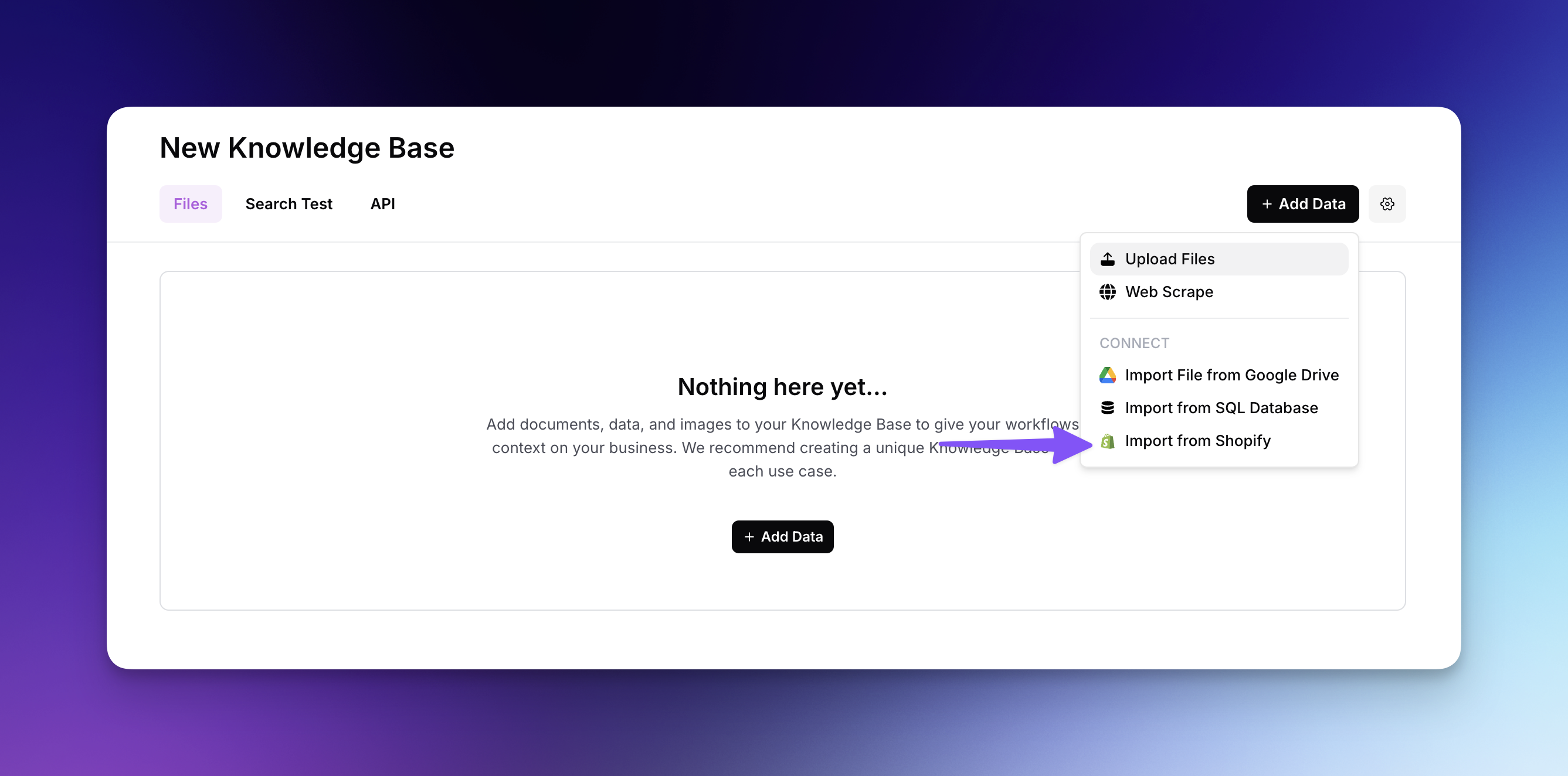
* Haz clic en "Agregar datos" y selecciona "Importar desde Shopify" en el menú desplegable
* Completa el proceso de autenticación iniciando sesión en tu cuenta de Shopify
* Instala la aplicación de AirOps en tu tienda Shopify cuando se te solicite
* Selecciona tu tienda Shopify conectada en el menú desplegable de AirOps
* Elige qué tipos de datos importar: Productos, Colecciones o Artículos
{% @arcade/embed url="" flowId="lAWQfALEAB4PEGRjQA2L" %}
### Selección de columnas y capacidad de búsqueda
Después de seleccionar tu tipo de datos, deberás configurar qué atributos incluir:
* Elige qué columnas incluir en tu importación (por ejemplo, id, title, handle, description, featuredImage.url)
* Especifica qué columnas deben poder buscarse en tu Base de Conocimiento
* Las columnas que no sean buscables seguirán incluidas en los resultados y podrán utilizarse para filtrar
### Filtrado de tu importación
Para acotar qué elementos importar:
* Usa filtros como Estado publicado, Estado, Etiquetas, Inventario mínimo, Tipo de producto y Proveedor
* Introduce valores específicos para cada filtro (por ejemplo, etiquetas específicas como "blue, summer" o tipos de producto como "snowboard, skateboard")
* Previsualiza los resultados filtrados antes de completar tu importación
* Haz clic en "Continuar" para añadir el contenido filtrado de Shopify a tu Base de Conocimiento
Una vez importados, los datos de tu Shopify se vuelven semánticamente buscables, lo que permite que tus flujos de trabajo seleccionen inteligentemente productos para colecciones personalizadas, destaquen productos relevantes en contenido editorial, encuentren artículos relacionados para enlazado interno y mucho más.
---
# Agent Instructions
This documentation is published with GitBook. GitBook is the documentation platform designed so that both humans and AI agents can read, navigate, and reason over technical content effectively. Learn more at gitbook.com.
## Querying This Documentation
If you need additional information that is not directly available in this page, you can query the documentation by asking a question.
Perform an HTTP GET request on the following URL with the `ask` and `goal` query parameters:
```
GET https://docs.airops.com/docs/es/contexto/memory-stores/add-data/import-from-shopify.md?ask=&goal=
```
`ask` is the immediate question: it should be specific, self-contained, and written in natural language.
`goal` is what the user is ultimately trying to achieve, the reason they need the answer. Sharing it helps GitBook give you a better, more relevant answer. A goal is most helpful when it describes the outcome the user wants rather than restating the question. For example, with `ask=how do I create an API token`, a goal like `automate deployments from our CI pipeline` lets GitBook tailor the answer to that use case.
The response will contain a direct answer to the question and relevant excerpts and sources from the documentation.
Use this mechanism when the answer is not explicitly present in the current page, you need clarification or additional context, or you want to retrieve related documentation sections.