> For the complete documentation index, see [llms.txt](https://docs.airops.com/llms.txt). Markdown versions of documentation pages are available by appending `.md` to page URLs; this page is available as [Markdown](https://docs.airops.com/docs/es/acciones/workflow-concepts/chat-with-copilot.md).
# Copilot
Crea y mejora flujos de trabajo con Studio Copilot.
## AirOps Copilot
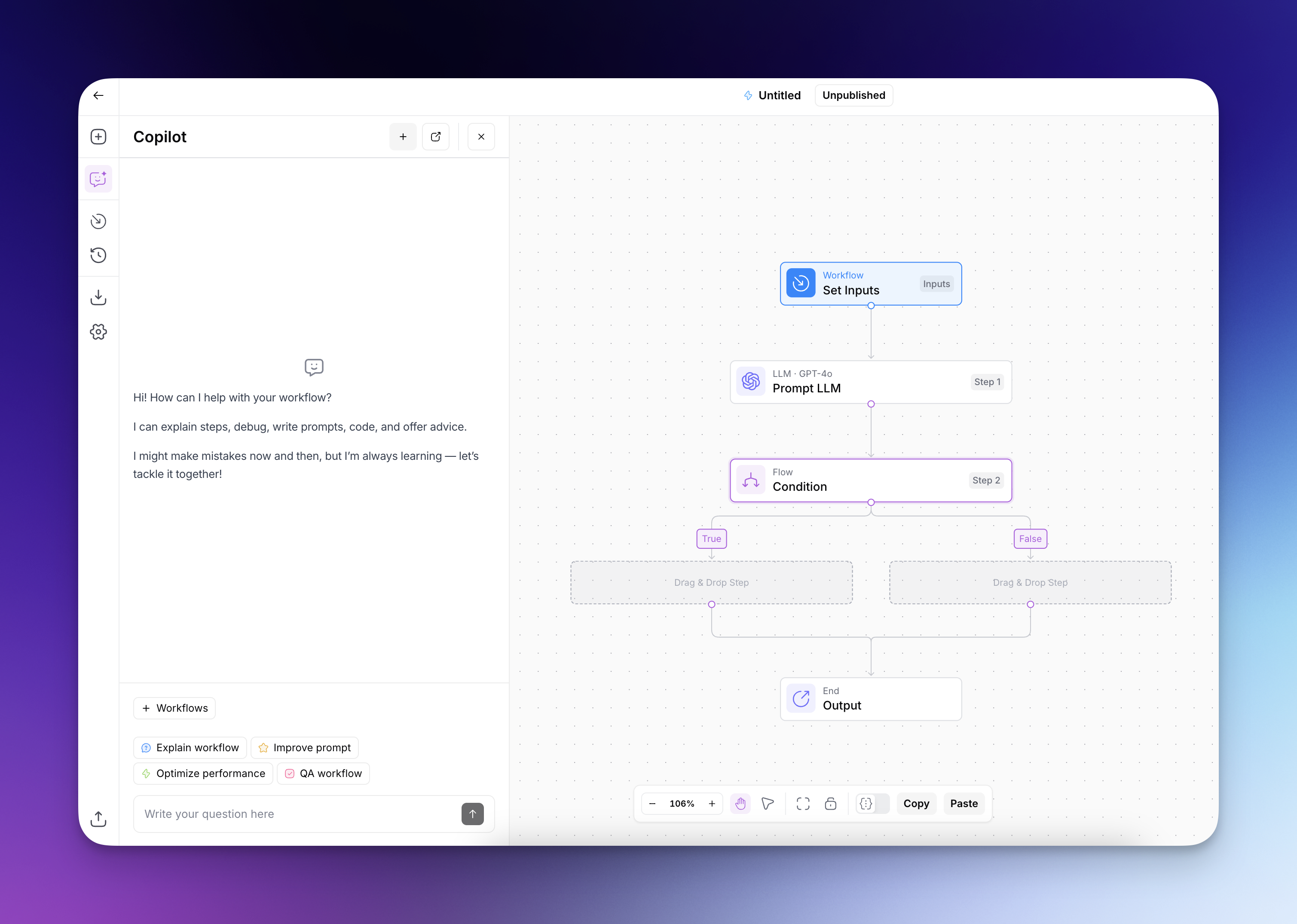
Copilot es un asistente impulsado por IA que te ayuda a crear y mejorar tus flujos de trabajo. Cuando pides ayuda con tu flujo de trabajo, Copilot analiza tus requisitos y ofrece sugerencias específicas que puedes elegir implementar.
Copilot usa **Claude Sonnet 5** de forma predeterminada. En los espacios de trabajo de Platform, el selector de modelos también incluye **Claude Sonnet 5.5**, **Claude Opus 5.5**, **Claude Opus 5**, **GPT-6 Sol**, **GPT-6 Luna**, **GPT-5.6 Sol**, y **GPT-5.6 Terra**. Elige un modelo antes de enviar una solicitud cuando quieras cambiarlo.
Copilot ofrece una amplia gama de asistencia para mejorar tu experiencia al crear flujos de trabajo. Estos son solo algunos ejemplos:
* **Ayuda con explicaciones:** Pide a Copilot que explique cómo funciona tu flujo de trabajo, ayudándote a comprender el flujo de datos y los pasos de tu automatización.
* **Guía de creación:** Obtén instrucciones paso a paso sobre cómo construir flujos de trabajo para casos de uso específicos, con Copilot sugiriendo pasos y conexiones adecuados.
* **Recomendaciones de optimización:** Recibe sugerencias para mejorar tus flujos de trabajo, incluida la adición de manejo de errores, el refinamiento de los prompts o la implementación de una lógica más eficiente.
* **Ayuda para depuración:** Cuando tu flujo de trabajo encuentre errores, pide a Copilot que analice el problema y ofrezca pasos de solución de problemas para resolverlo.
{% @arcade/embed url="" flowId="nRDXOumHXnlovCTtVc1j" %}
---
# Agent Instructions
This documentation is published with GitBook. GitBook is the documentation platform designed so that both humans and AI agents can read, navigate, and reason over technical content effectively. Learn more at gitbook.com.
## Querying This Documentation
If you need additional information that is not directly available in this page, you can query the documentation by asking a question.
Perform an HTTP GET request on the following URL with the `ask` and `goal` query parameters:
```
GET https://docs.airops.com/docs/es/acciones/workflow-concepts/chat-with-copilot.md?ask=&goal=
```
`ask` is the immediate question: it should be specific, self-contained, and written in natural language.
`goal` is what the user is ultimately trying to achieve, the reason they need the answer. Sharing it helps GitBook give you a better, more relevant answer. A goal is most helpful when it describes the outcome the user wants rather than restating the question. For example, with `ask=how do I create an API token`, a goal like `automate deployments from our CI pipeline` lets GitBook tailor the answer to that use case.
The response will contain a direct answer to the question and relevant excerpts and sources from the documentation.
Use this mechanism when the answer is not explicitly present in the current page, you need clarification or additional context, or you want to retrieve related documentation sections.