> For the complete documentation index, see [llms.txt](https://docs.airops.com/llms.txt). Markdown versions of documentation pages are available by appending `.md` to page URLs; this page is available as [Markdown](https://docs.airops.com/docs/de/dein-workspace/monitoring/analytics.md).
# Analysen
AirOps bietet Tracking in Form seiner Analytics-Seite an.
Unter der Registerkarte „Analytics“ gibt es derzeit drei integrierte Diagramme zu Ihrer Workflow-Nutzung.
1. Ausführungs-Zeitreihe
2. Latenz-Zeitreihe
3. Aufgaben-Zeitreihe
Standardmäßig zeigt jede Zeitreihe die Gesamtdaten über alle Ihre Workflows hinweg an. Sie können die Dropdown-Registerkarte „Workflow“ verwenden, um die Daten auf einen bestimmten Workflow zu filtern.
### Ausführungs-Zeitreihe
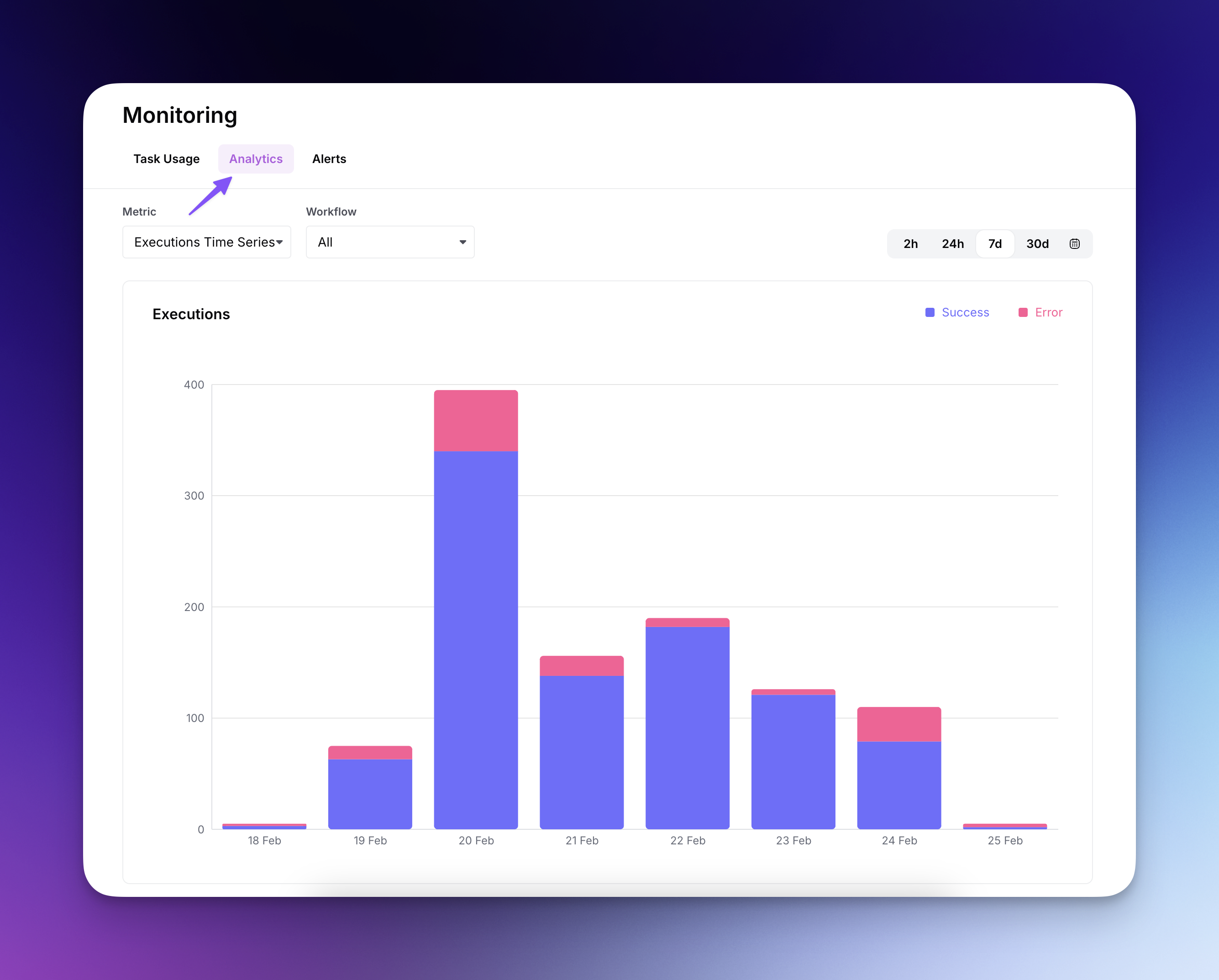
Die Ausführungs-Zeitreihe (Standardauswahl) bietet eine detaillierte Visualisierung der Leistung Ihrer Workflow-Ausführungen im Zeitverlauf.
* Verfolgen Sie erfolgreiche (blau) gegenüber fehlerhaften (pink) Ausführungen, um potenzielle Probleme zu erkennen und die Zuverlässigkeit zu optimieren.
* Verwenden Sie Zeitbereichsauswahlen (2h, 24h, 7d, 30d), um Ausführungsmuster über verschiedene Zeiträume hinweg zu analysieren.
* Filtern Sie mit dem Dropdown-Menü nach bestimmten Workflows, um die Leistung einzelner Workflows zu betrachten.
* Die tägliche Aufschlüsselung hilft, Nutzungsspitzen und Muster zu erkennen, und ermöglicht so eine bessere Kapazitätsplanung und Fehlerbehebung.
### Latenz-Zeitreihe
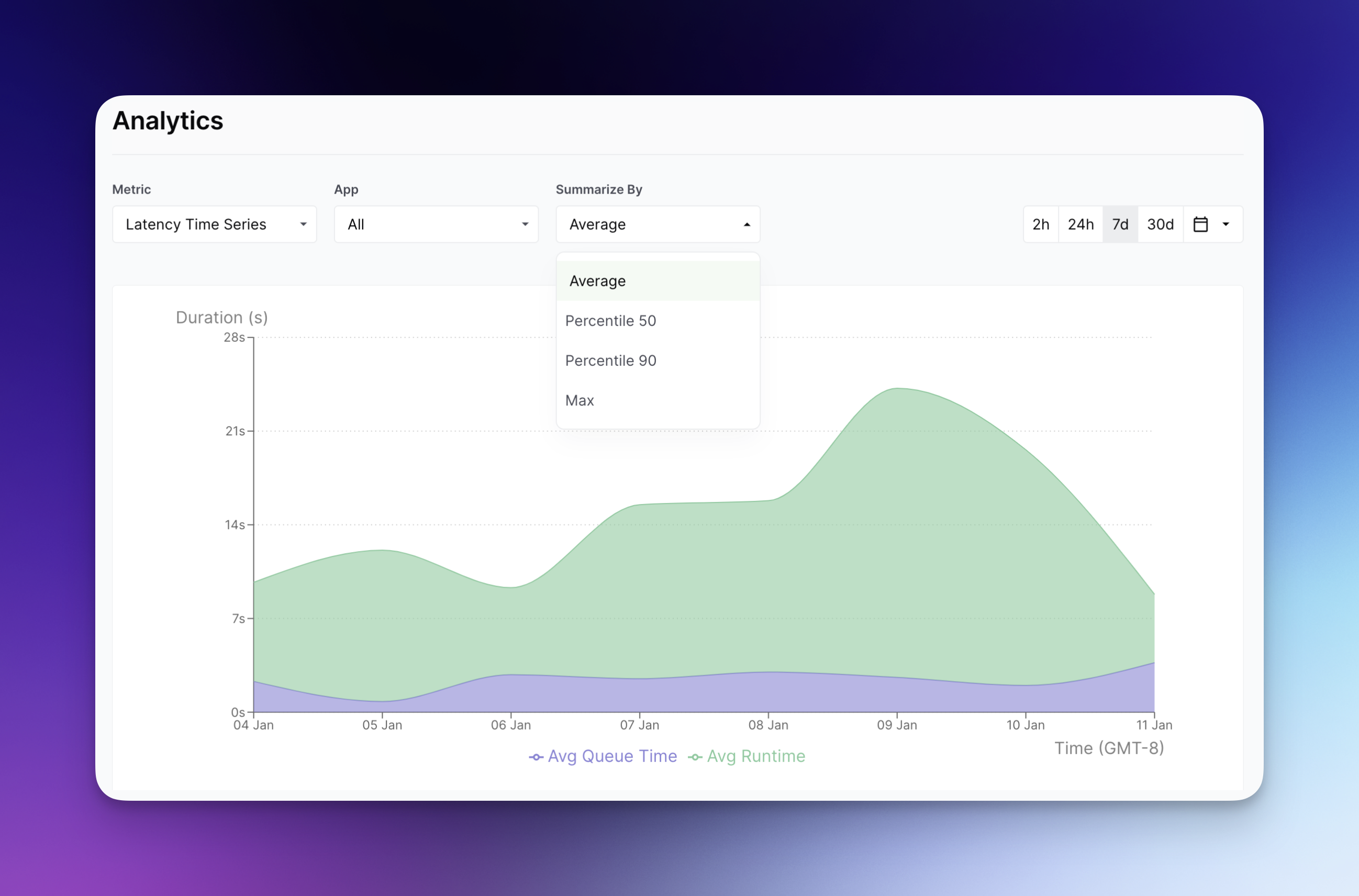
Die Latenz-Zeitreihe zeigt die Zeit an, die Ihr Workflow in einer Warteschlange verbringt, im Vergleich zu der tatsächlichen Zeit, die er ausgeführt wird. Über die Dropdown-Registerkarte „Zusammenfassen nach“ können Sie auswählen, wie diese Daten aggregiert angezeigt werden sollen:
### Aufgaben-Zeitreihe
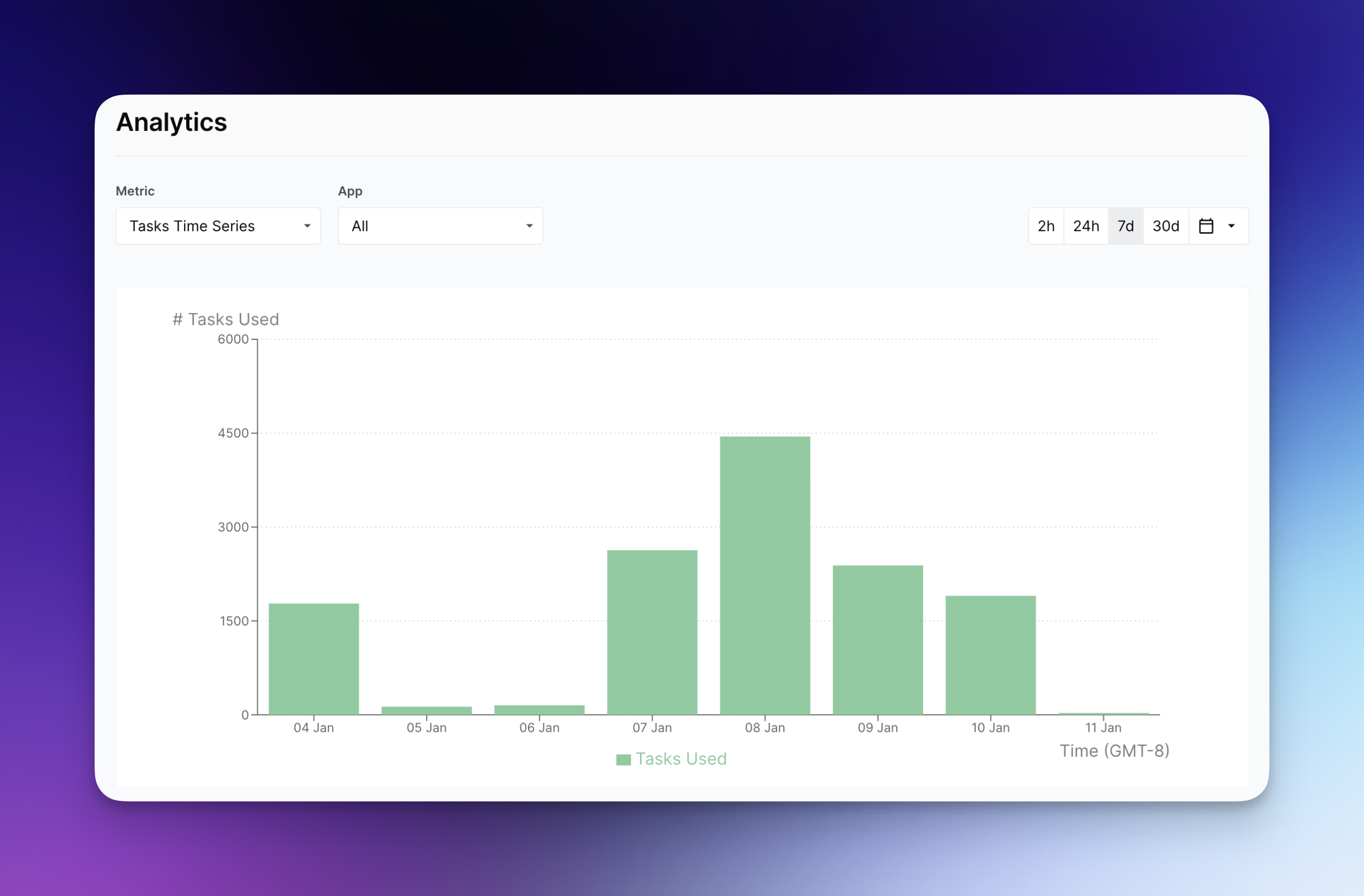
Die Aufgaben-Zeitreihe zeigt die Gesamtzahl der in Ihren Workflows ausgeführten Aufgaben an.
## Anpassung des Zeitraums
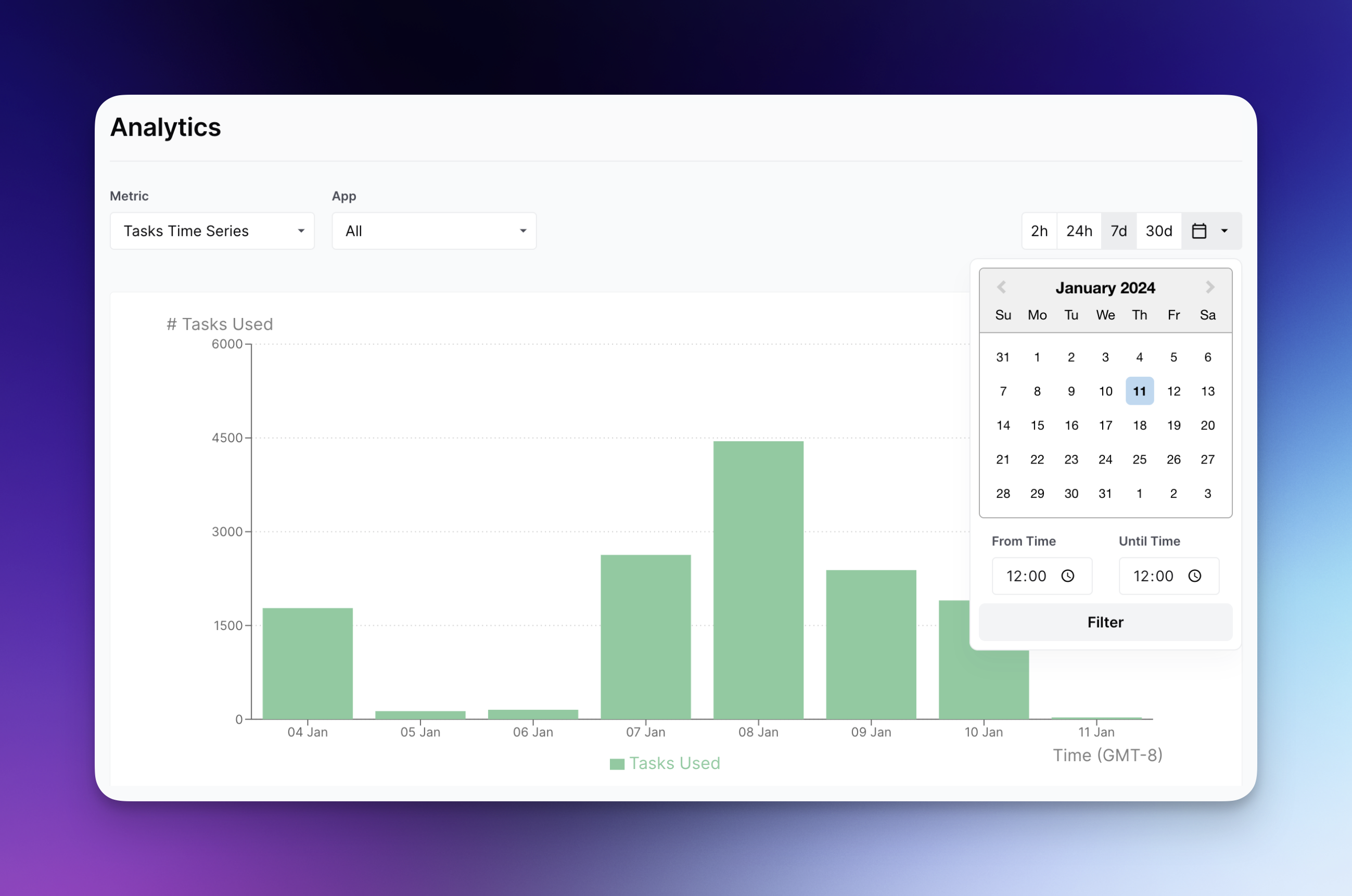
Für jede Zeitreihe haben Sie die Möglichkeit, die genauen Daten und Zeiten der Diagramme über das Kalender-Dropdown auszuwählen:
Außerdem können Sie, wenn Sie Ihren Workflow bereits veröffentlicht haben, beim Anzeigen zu dessen Registerkarte „Analytics“ navigieren. Bitte beachten Sie, dass das aktuelle maximale Rückblickfenster 3 Monate beträgt.
---
# Agent Instructions
This documentation is published with GitBook. GitBook is the documentation platform designed so that both humans and AI agents can read, navigate, and reason over technical content effectively. Learn more at gitbook.com.
## Querying This Documentation
If you need additional information that is not directly available in this page, you can query the documentation by asking a question.
Perform an HTTP GET request on the following URL with the `ask` and `goal` query parameters:
```
GET https://docs.airops.com/docs/de/dein-workspace/monitoring/analytics.md?ask=&goal=
```
`ask` is the immediate question: it should be specific, self-contained, and written in natural language.
`goal` is what the user is ultimately trying to achieve, the reason they need the answer. Sharing it helps GitBook give you a better, more relevant answer. A goal is most helpful when it describes the outcome the user wants rather than restating the question. For example, with `ask=how do I create an API token`, a goal like `automate deployments from our CI pipeline` lets GitBook tailor the answer to that use case.
The response will contain a direct answer to the question and relevant excerpts and sources from the documentation.
Use this mechanism when the answer is not explicitly present in the current page, you need clarification or additional context, or you want to retrieve related documentation sections.