> For the complete documentation index, see [llms.txt](https://docs.airops.com/llms.txt). Markdown versions of documentation pages are available by appending `.md` to page URLs; this page is available as [Markdown](https://docs.airops.com/docs/de/aktionen/workflow-concepts/chat-with-copilot/edit-workflows-with-copilot.md).
# Workflows mit Copilot bearbeiten
Copilot kann Ihnen helfen, Ihre bestehenden Workflows zu bearbeiten und zu verfeinern. Wenn Sie eine Anfrage stellen, analysiert es die Struktur Ihres aktuellen Workflows und schlägt Änderungen vor, sei es das Hinzufügen neuer Schritte, das Verbessern bestehender oder das Beheben von Fehlern.
## Änderungen mit Copilot anwenden
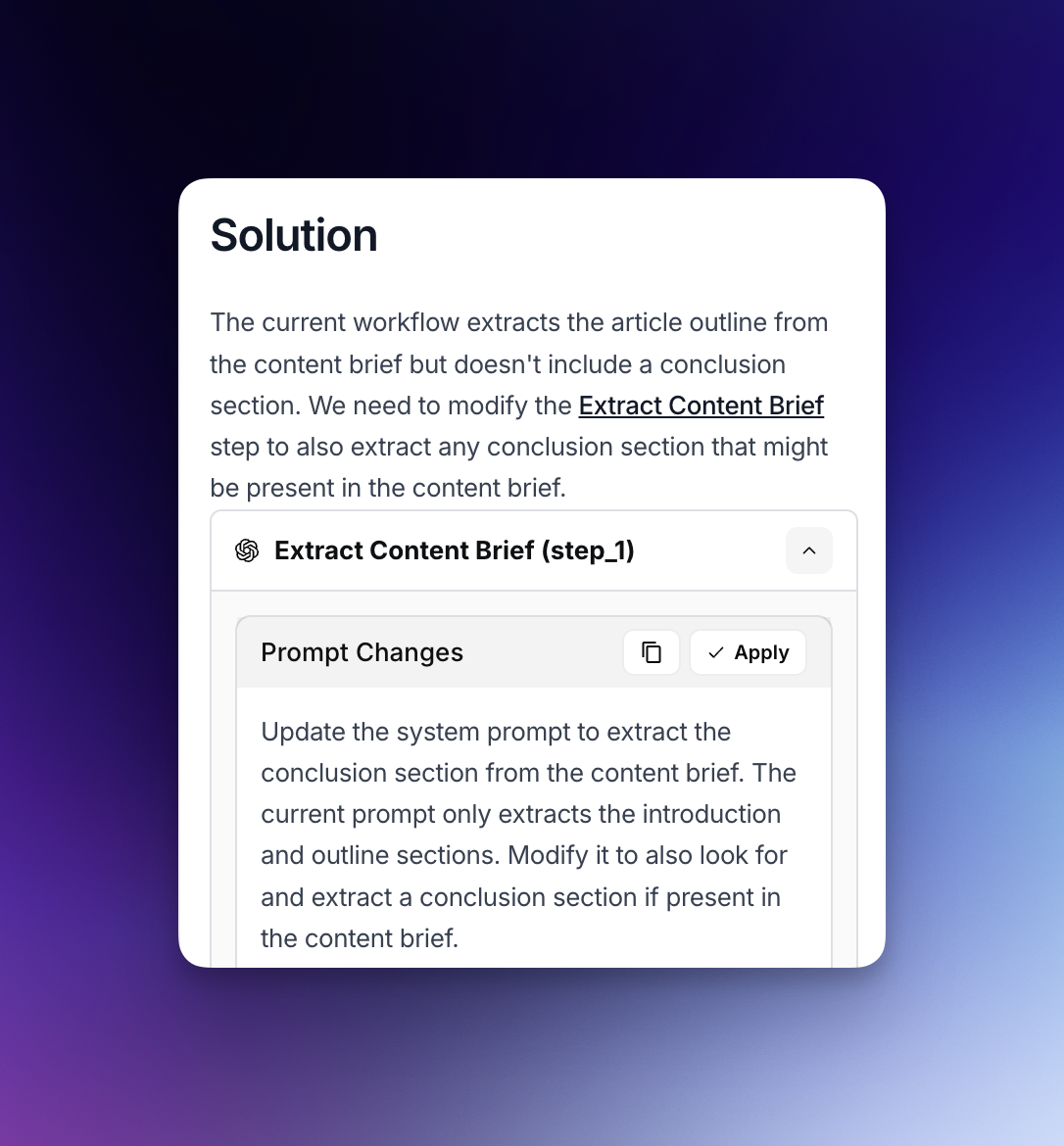
* Wenn Sie Ihre vorhandenen Workflow-Schritte ändern müssen, kann Copilot Änderungen an Schrittkonfigurationen, Prompts oder Parametern empfehlen.
* Klicken Sie einfach auf die Schaltfläche „Änderungen anwenden“, wenn Copilot Änderungen an einem vorhandenen Schritt vorschlägt.
* Dieser optimierte Ansatz ermöglicht es Ihnen, Verbesserungen an Ihren Workflow-Komponenten schnell umzusetzen, ohne sie von Grund auf neu erstellen zu müssen.
## Schritte mit Copilot hinzufügen
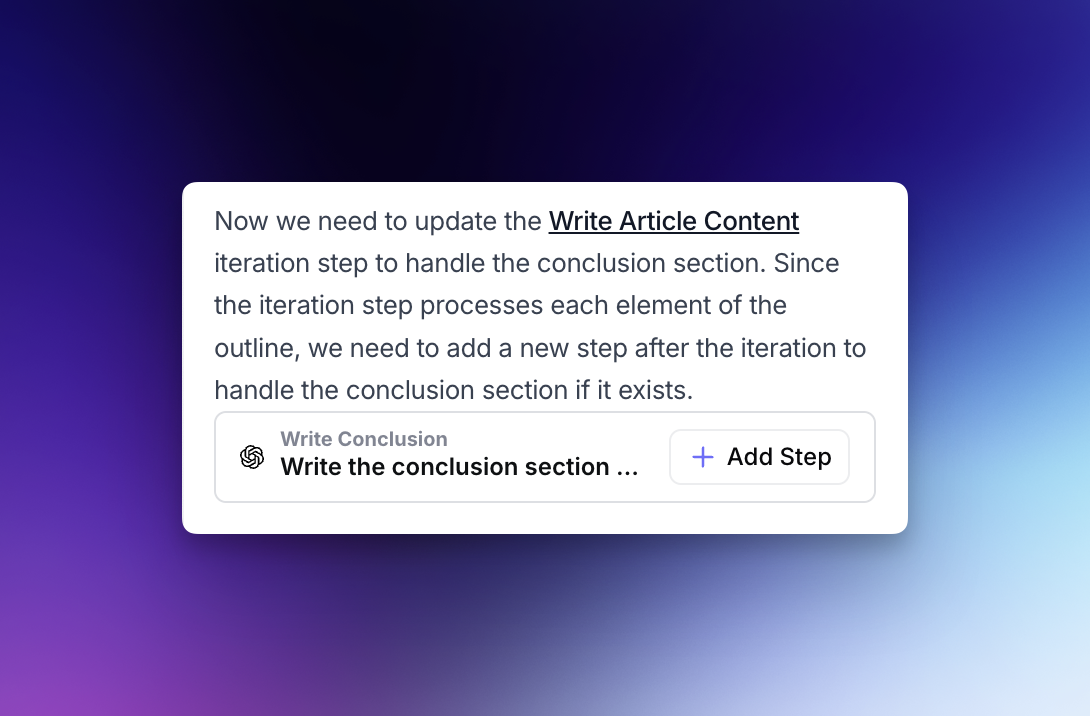
* Bei Anfragen, die neue Schritte erfordern, kann Copilot empfehlen, Ihrem Workflow völlig neue Schritte hinzuzufügen.
* Wenn Copilot diese Vorschläge macht, können Sie durch Klicken auf die Schaltfläche „Schritt hinzufügen“ neue Funktionen nahtlos in Ihren Workflow integrieren.
* Die neuen Schritte fügen sich reibungslos in Ihren bestehenden Workflow ein und stellen sicher, dass vorhandene Variablen und Schritte korrekt referenziert werden.
## Copilot Auto-Modus
* Der Auto-Modus ermöglicht es Copilot, Änderungen automatisch anzuwenden, Ausgaben zu testen und weitere Verbesserungen vorzunehmen, ohne dass Sie jeden Vorschlag manuell akzeptieren müssen.
* Copilot analysiert die Ausgabe jedes Schritts und verfeinert sie weiter, bis Ihre ursprüngliche Anfrage vollständig erfüllt ist.
* Der Auto-Modus funktioniert derzeit mit LLM- und Code-Schritten; die Unterstützung für zusätzliche Schritttypen wird bald erweitert.
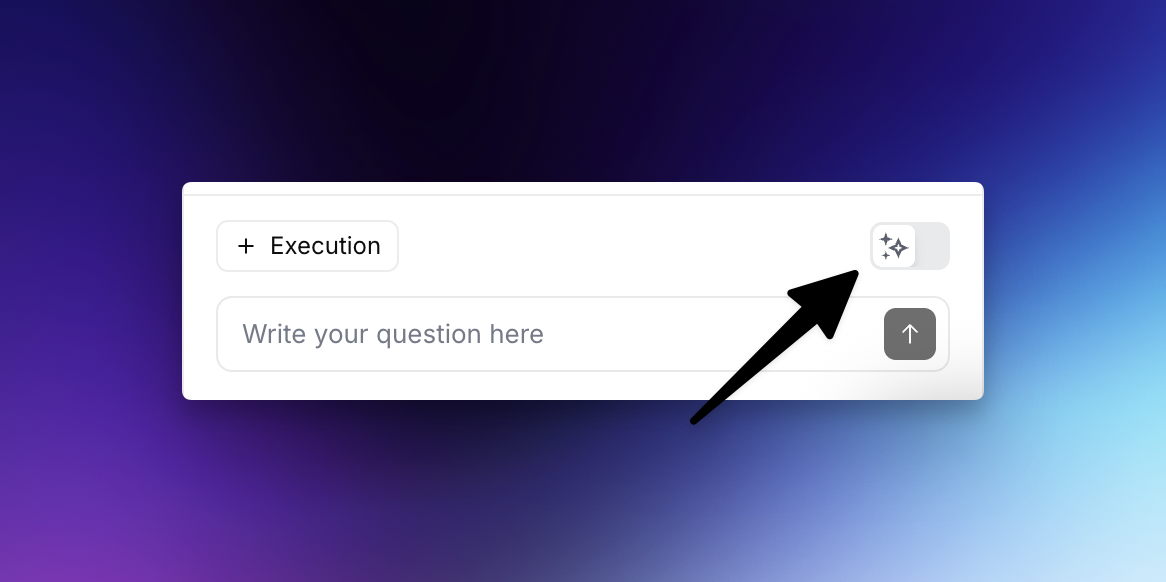
**So aktivieren Sie den Auto-Modus:** Klicken Sie auf das Funkel-Symbol neben dem Eingabefeld, wenn Sie Copilot auffordern, Workflow-Verbesserungen vorzunehmen, um den Auto-Modus zu aktivieren.
---
# Agent Instructions
This documentation is published with GitBook. GitBook is the documentation platform designed so that both humans and AI agents can read, navigate, and reason over technical content effectively. Learn more at gitbook.com.
## Querying This Documentation
If you need additional information that is not directly available in this page, you can query the documentation by asking a question.
Perform an HTTP GET request on the following URL with the `ask` and `goal` query parameters:
```
GET https://docs.airops.com/docs/de/aktionen/workflow-concepts/chat-with-copilot/edit-workflows-with-copilot.md?ask=&goal=
```
`ask` is the immediate question: it should be specific, self-contained, and written in natural language.
`goal` is what the user is ultimately trying to achieve, the reason they need the answer. Sharing it helps GitBook give you a better, more relevant answer. A goal is most helpful when it describes the outcome the user wants rather than restating the question. For example, with `ask=how do I create an API token`, a goal like `automate deployments from our CI pipeline` lets GitBook tailor the answer to that use case.
The response will contain a direct answer to the question and relevant excerpts and sources from the documentation.
Use this mechanism when the answer is not explicitly present in the current page, you need clarification or additional context, or you want to retrieve related documentation sections.