> For the complete documentation index, see [llms.txt](https://docs.airops.com/llms.txt). Markdown versions of documentation pages are available by appending `.md` to page URLs; this page is available as [Markdown](https://docs.airops.com/docs/de/aktionen/workflow-concepts/chat-with-copilot.md).
# Copilot
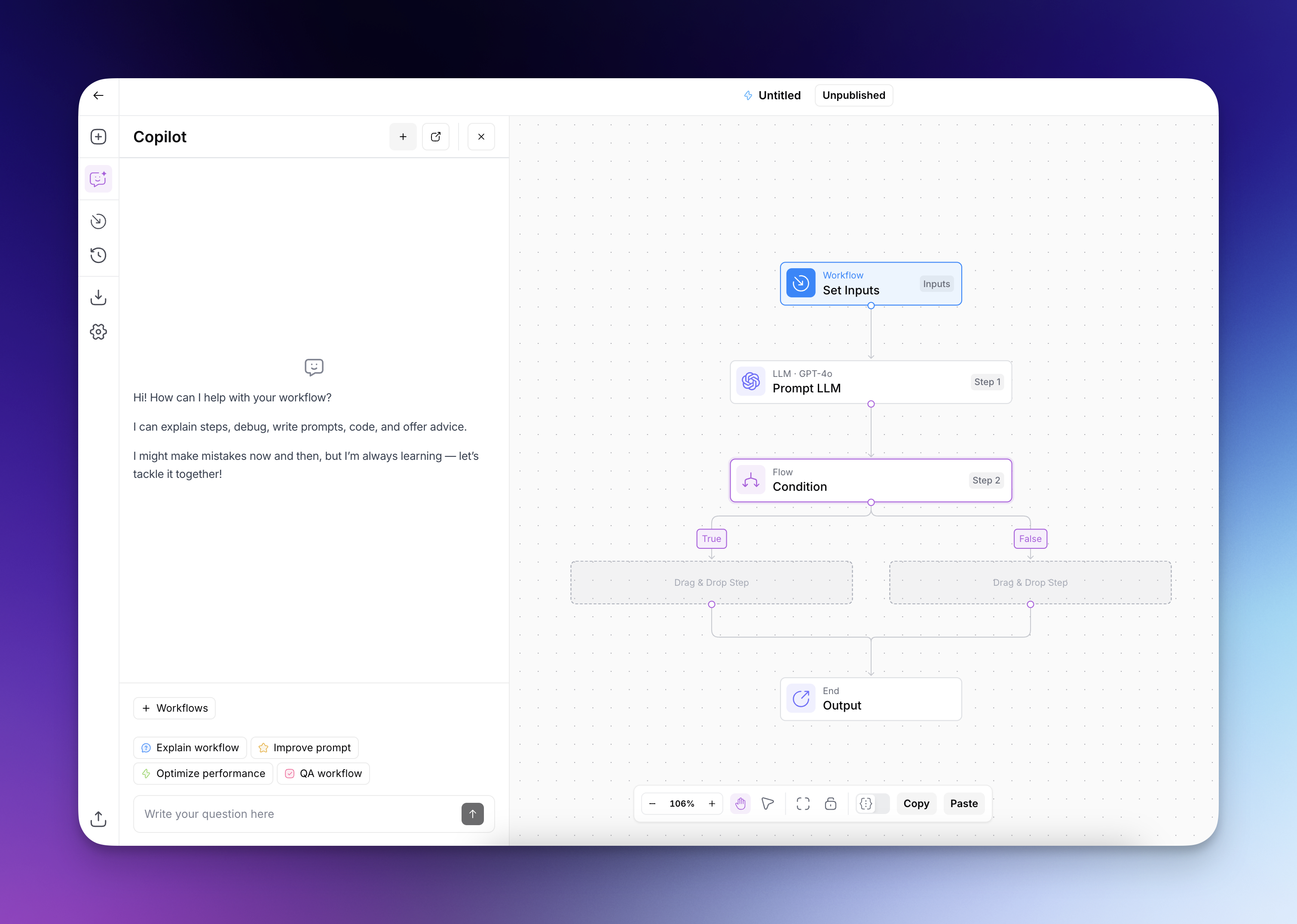
Erstelle und verbessere Workflows mit Studio Copilot.
## AirOps Copilot
Copilot ist ein KI-gestützter Assistent, der Ihnen hilft, Ihre Workflows zu erstellen und zu verbessern. Wenn Sie Copilot um Hilfe bei Ihrem Workflow bitten, analysiert er Ihre Anforderungen und gibt gezielte Vorschläge, die Sie optional umsetzen können.
Copilot verwendet **Claude Sonnet 5** standardmäßig. In Platform-Arbeitsbereichen umfasst die Modellauswahl außerdem **Claude Sonnet 5.5**, **Claude Opus 5.5**, **Claude Opus 5**, **GPT-6 Sol**, **GPT-6 Luna**, **GPT-5.6 Sol**und **GPT-5.6 Terra**. Wählen Sie ein Modell aus, bevor Sie eine Anfrage senden, wenn Sie es ändern möchten.
Copilot bietet eine breite Palette an Unterstützung, um Ihr Erlebnis beim Erstellen von Workflows zu verbessern. Hier sind nur einige Beispiele:
* **Hilfestellung zur Erklärung:** Bitten Sie Copilot, zu erklären, wie Ihr Workflow funktioniert, damit Sie den Datenfluss und die Schritte in Ihrer Automatisierung besser verstehen.
* **Anleitung zum Erstellen:** Erhalten Sie Schritt-für-Schritt-Anleitungen zum Erstellen von Workflows für bestimmte Anwendungsfälle, wobei Copilot geeignete Schritte und Verknüpfungen vorschlägt.
* **Optimierungsempfehlungen:** Erhalten Sie Vorschläge zur Verbesserung Ihrer Workflows, einschließlich des Hinzufügens von Fehlerbehandlung, dem Verfeinern von Prompts oder der Implementierung effizienterer Logik.
* **Unterstützung bei der Fehlerbehebung:** Wenn Ihr Workflow auf Fehler stößt, bitten Sie Copilot, das Problem zu analysieren und Schritte zur Fehlerbehebung bereitzustellen, um den Fehler zu beheben.
{% @arcade/embed url="" flowId="nRDXOumHXnlovCTtVc1j" %}
---
# Agent Instructions
This documentation is published with GitBook. GitBook is the documentation platform designed so that both humans and AI agents can read, navigate, and reason over technical content effectively. Learn more at gitbook.com.
## Querying This Documentation
If you need additional information that is not directly available in this page, you can query the documentation by asking a question.
Perform an HTTP GET request on the following URL with the `ask` and `goal` query parameters:
```
GET https://docs.airops.com/docs/de/aktionen/workflow-concepts/chat-with-copilot.md?ask=&goal=
```
`ask` is the immediate question: it should be specific, self-contained, and written in natural language.
`goal` is what the user is ultimately trying to achieve, the reason they need the answer. Sharing it helps GitBook give you a better, more relevant answer. A goal is most helpful when it describes the outcome the user wants rather than restating the question. For example, with `ask=how do I create an API token`, a goal like `automate deployments from our CI pipeline` lets GitBook tailor the answer to that use case.
The response will contain a direct answer to the question and relevant excerpts and sources from the documentation.
Use this mechanism when the answer is not explicitly present in the current page, you need clarification or additional context, or you want to retrieve related documentation sections.