> For the complete documentation index, see [llms.txt](https://docs.airops.com/llms.txt). Markdown versions of documentation pages are available by appending `.md` to page URLs; this page is available as [Markdown](https://docs.airops.com/actions/workflow-concepts/power-agents.md).
# Power Agents
Use pre-built Power Agents for common marketing and SEO Workflow tasks.
Power Agents are pre-built, reusable Workflow components for common marketing and SEO tasks. Each Power Agent performs a defined job, such as keyword research, content planning, creation, or refresh.
Use a Power Agent when an existing component matches the job you need instead of building the same Workflow from scratch.
## Where to find Power Agents
You can access Power Agents in two ways:
### Within the Workflow Studio
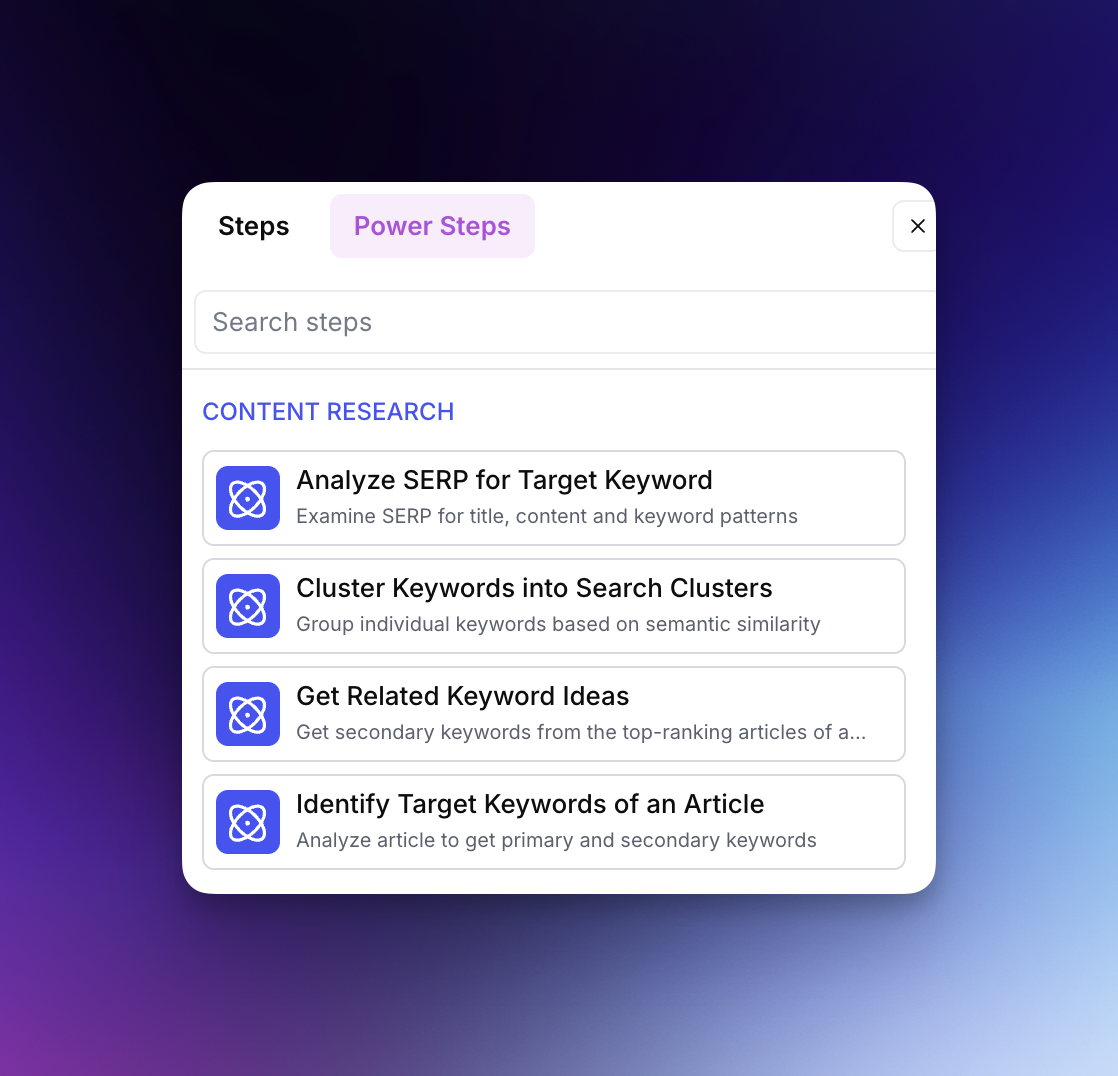
When building a Workflow, click the **Power Agents** tab at the top of the Step selector panel. Power Agents are organized into categories:
* **Content Research** - Analyze SERPs, cluster keywords, identify opportunities
* **Content Planning** - Create briefs, research products, plan content strategy
* **Content Creation** - Generate articles, add links, create meta tags
* **Content Refresh** - Research competitive gaps, improve existing content
### From a Grid
Power Agents can be added directly to your Grid for bulk running:
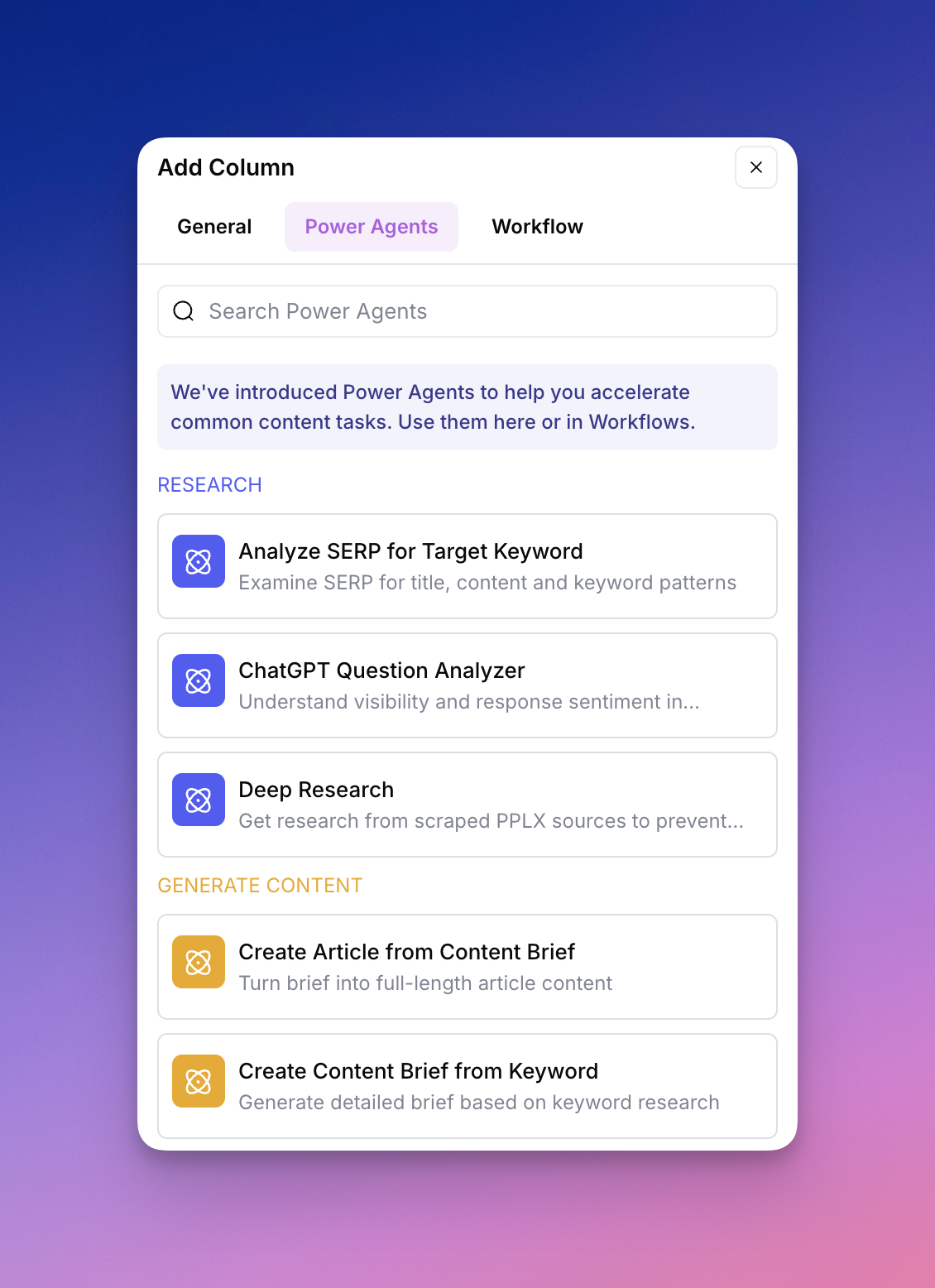
1. Click **+ Add Column** in your Grid.
2. Select a Power Agent from the menu.
3. Map the Power Agent's inputs to your existing Grid columns.
4. Run the Power Agent across the rows you select.
This enables you to process hundreds of rows at once, with results appearing directly in your Grid for immediate use.
## View Power Agent details
To understand what a Power Agent does before using it:
1. Click a Power Agent in the selector.
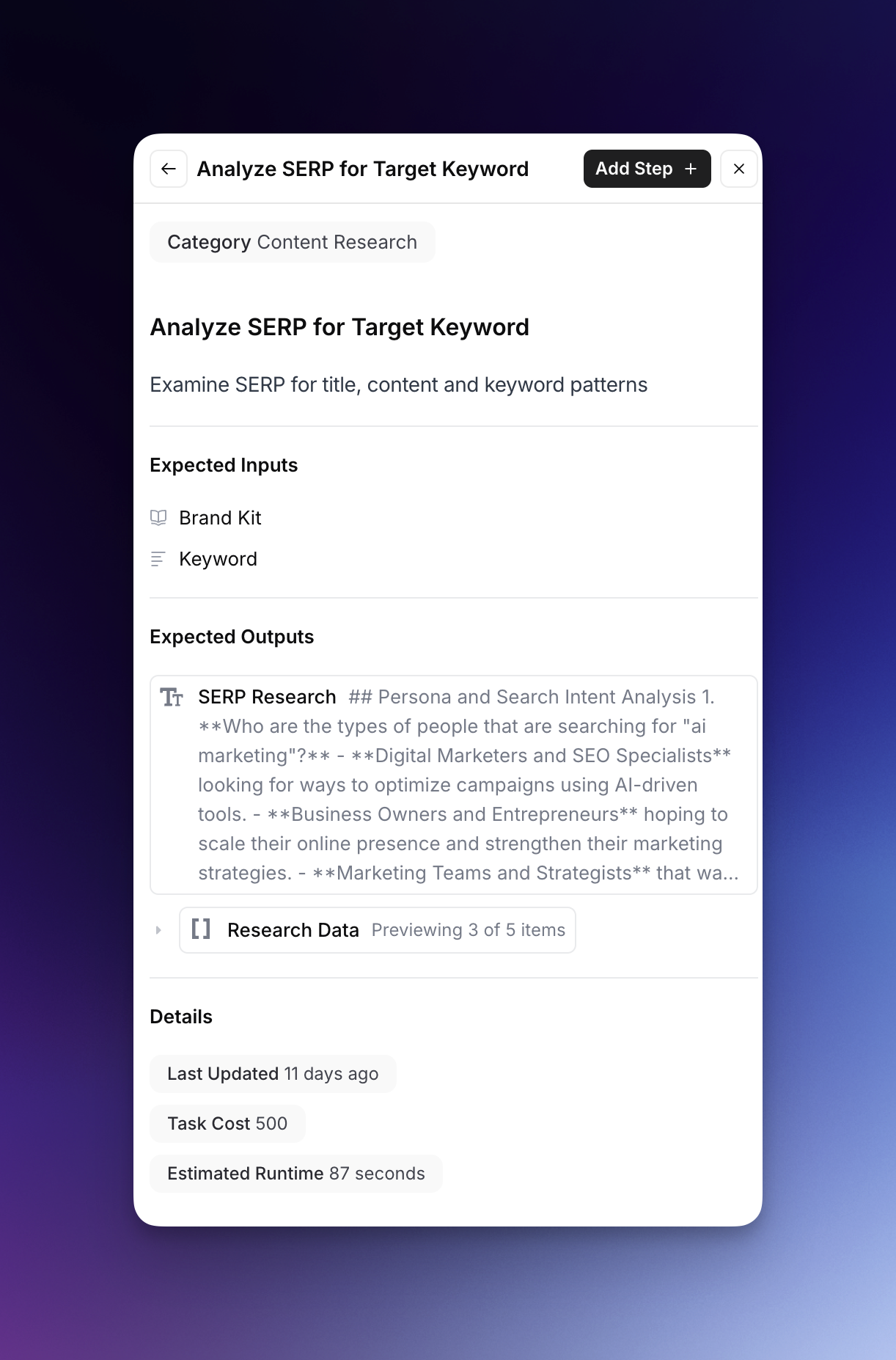
2. Select **Learn More** to view:
* **Expected Inputs** - What data the Power Agent requires
* **Expected Outputs** - What the Power Agent will generate
* **Details** - Including last update, task cost, and estimated runtime
* **Category** - The functional area it belongs to
This detailed view helps you understand exactly how the Power Agent will transform your data and what resources it will consume.
## Schedule Power Agents
Schedule Power Agent columns to run automatically:
1. Click the Power Agent column header.
2. Select **Schedule Workflow**.
3. Configure:
* **Frequency**: Daily, Weekly, or Monthly
* **Time & Days**: When to run
* **Row Filters**: Target specific rows (e.g., "output is empty")
* **Row Limits**: Control batch size
## Fork Power Agents
**Note:** This feature is currently available as an add-on on Enterprise tier plans.
Forking allows you to create a customized version of any Power Agent. This is useful when you want to:
* Modify the underlying prompts to match your brand voice
* Adjust the logic for your specific use case
* Add or remove steps from the workflow
* Create variations for different content types
## Best practices
* **Start with a Power Agent:** Before building a custom Workflow, check whether a Power Agent already fits your use case.
* **Chain Power Agents:** Some Power Agents are designed to work together, such as **Create Content Brief from Keyword** followed by **Create Article from Content Brief**.
* **Review outputs:** Review Power Agent outputs before publishing.
* **Monitor costs:** Check the task cost in the details view before running the Power Agent across many rows.
AirOps updates Power Agents based on product changes, performance data, and user feedback.
---
# Agent Instructions
This documentation is published with GitBook. GitBook is the documentation platform designed so that both humans and AI agents can read, navigate, and reason over technical content effectively. Learn more at gitbook.com.
## Querying This Documentation
If you need additional information that is not directly available in this page, you can query the documentation by asking a question.
Perform an HTTP GET request on the following URL with the `ask` and `goal` query parameters:
```
GET https://docs.airops.com/actions/workflow-concepts/power-agents.md?ask=&goal=
```
`ask` is the immediate question: it should be specific, self-contained, and written in natural language.
`goal` is what the user is ultimately trying to achieve, the reason they need the answer. Sharing it helps GitBook give you a better, more relevant answer. A goal is most helpful when it describes the outcome the user wants rather than restating the question. For example, with `ask=how do I create an API token`, a goal like `automate deployments from our CI pipeline` lets GitBook tailor the answer to that use case.
The response will contain a direct answer to the question and relevant excerpts and sources from the documentation.
Use this mechanism when the answer is not explicitly present in the current page, you need clarification or additional context, or you want to retrieve related documentation sections.